
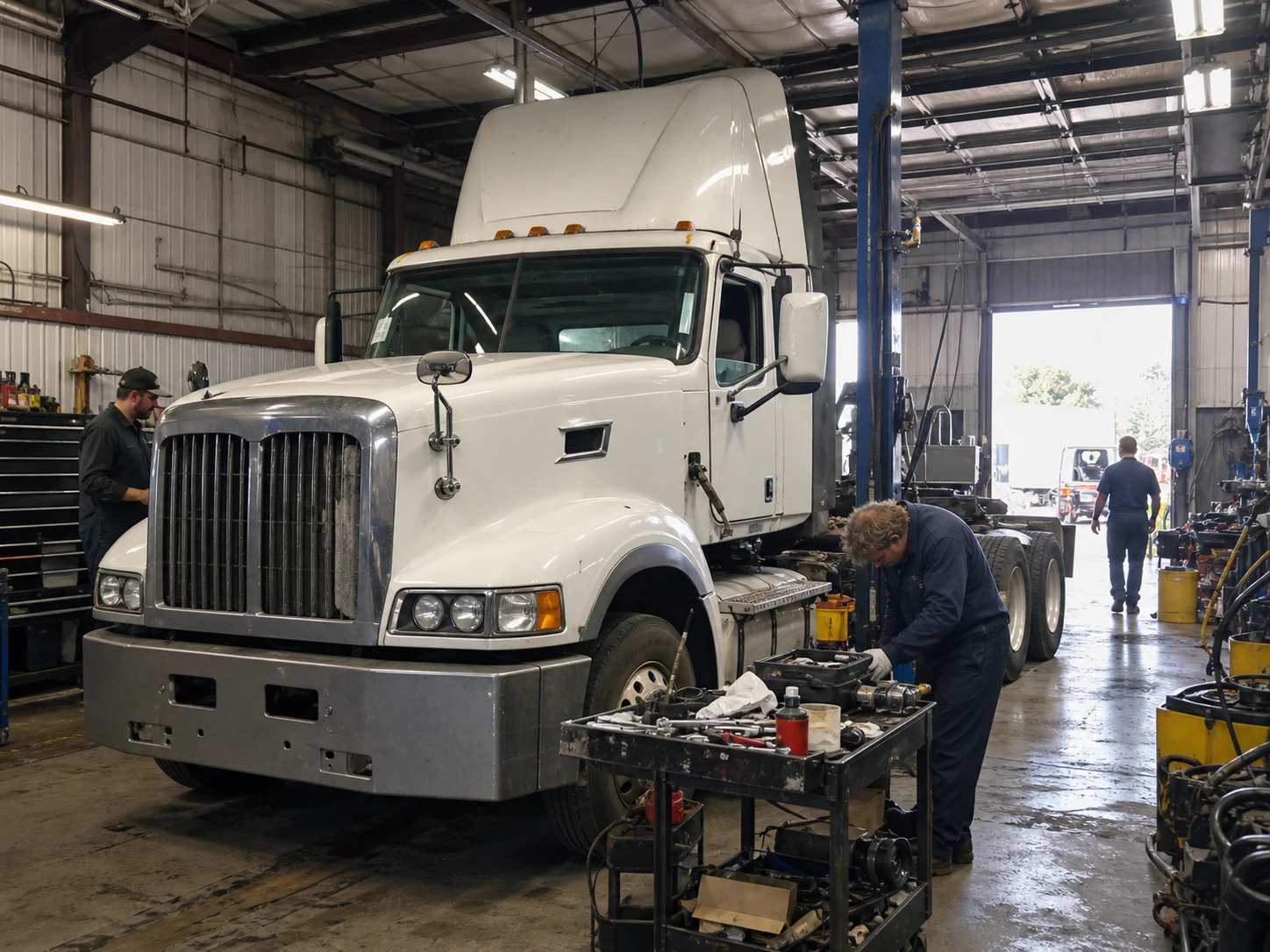
Running a heavy-duty mechanic shop is a coordination problem disguised as a repair problem. A truck may arrive with one complaint, several overdue maintenance items, a parts delay, and a fleet manager waiting for a dependable return-to-service time. The shop has to capture the right unit, plan the work, keep technicians supplied, explain changes, invoice accurately, and preserve the history for the next visit.
The most successful shops do not rely on one heroic service advisor or a whiteboard that only one person understands. They build repeatable habits around the records and handoffs that keep work moving. The 21 tips below are written for independent heavy-duty and diesel repair shops, but the principles also apply to mixed commercial fleets.
1. Define the heavy-duty work you want to win
Start with a clear service profile. Decide whether your strongest fit is preventive maintenance, drivetrain work, trailers, refrigeration, electrical diagnostics, inspections, emergency repairs, or a combination. Then identify the customer types that value that capability, such as local fleets, owner-operators, vocational trucks, or regional carriers.
This focus affects your bay layout, equipment purchases, staffing, supplier relationships, hours, and marketing. It also prevents a common management mistake: accepting every job without knowing whether the shop can complete it profitably and on a dependable timeline. Review the mix of work you actually completed, not just the jobs you hoped to attract, and adjust your service profile quarterly.
2. Choose a site that works for trucks and fleet traffic
Location is an operating constraint, not only a marketing decision. Check turning radii, truck access, trailer storage, parking, road restrictions, lighting, and the distance between the entrance, bays, parts area, and customer handoff point. A site that works for passenger cars can create expensive friction for combination vehicles.
Map the arrival and departure path before signing a lease. Where does a driver wait? Where can a disabled unit be staged? Can a technician move a vehicle without blocking another customer? Include space for keys, paperwork, removed parts, and units waiting on approval. A small amount of deliberate staging often prevents the larger cost of moving the same truck several times.
3. Set up bays, staging, and key control as one system
Give every unit a visible status and a defined physical location. Separate waiting-for-inspection, waiting-for-parts, waiting-for-approval, in-progress, quality-check, and ready-for-pickup areas when the site allows. Use a consistent key-control routine and record exceptions immediately.
The goal is not a perfect floor plan. It is to make the next action obvious to anyone on the team. ETS uses workflow stages such as Estimates, Upcoming, On Site, Priority, Completed, and Invoiced, which can give the digital work queue a shared vocabulary. The physical shop still needs its own signs, parking rules, and key procedure. Software cannot compensate for a unit that nobody can find.
4. Create one intake process for every unit and driver
Use the same intake questions for a scheduled fleet visit, a walk-in, and an emergency arrival. Capture the customer, unit or vehicle, driver contact, complaint, requested completion time, current readings, visible damage, keys, and any attachments or photos that matter. Repeat the complaint back before the unit enters the queue.
Avoid turning intake into a memory test. A connected customer and vehicle record lets the team start from the right history instead of creating a new story on every visit. In ETS, an On Site record can include readings, parking, and key locations. That does not remove the need for a human check, but it gives the service team a more reliable starting point.
5. Keep unit records consistent enough to trust
Fleet customers think in unit numbers, while parts and technicians may need make, model, year, VIN, engine information, odometer, or engine hours. Define which identifiers are mandatory and who corrects a mismatch. Do not allow “Truck 4,” “Unit 004,” and a VIN fragment to become three unrelated records.
Review duplicate and incomplete records during a weekly admin block. A clean unit record preserves service history, PM decisions, recommendations, invoices, attachments, and recurring complaints. ETS vehicle records support fields such as unit, make, model, year, odometer, engine hours, and technical details. The value comes from consistent data entry and review, not from filling every optional field once and forgetting it.
6. Build PM schedules around the way fleets operate
Preventive maintenance should follow the fleet’s real triggers. Some work is calendar-based, some is mileage-based, and some is driven by engine hours or operating conditions. Agree with each customer on the readings and intervals that matter, then assign an owner for reviewing what is due.
Separate “due soon,” “overdue,” and “deferred with a reason.” A schedule that only produces a long list is not a plan. ETS supports PM intervals based on date, mileage, and engine hours, and a vehicle’s PM history can sit alongside its service records. Use that history to ask better questions: was an item completed, deferred, repeated, or replaced by a different repair?
7. Turn inspection findings into documented work
An inspection finding is useful only when the next decision is visible. Record what was observed, how urgent it is, what evidence supports it, and whether the customer approved, declined, or deferred the recommendation. Keep safety-critical findings separate from convenience work so the customer can make an informed decision.
Link the finding to the unit and service visit instead of leaving it in a disconnected note or text message. In ETS, a vehicle issue can become a service complaint, and service work can hold notes, attachments, checklists, recommendations, and activity history. Treat those as working records: make the wording clear enough that another advisor can explain the finding tomorrow.
8. Standardize estimates, approvals, and scope changes
An estimate is a promise about scope, not a guarantee that a truck will never reveal another problem. Use a consistent estimate format with the complaint, diagnosis, recommended work, parts, labor, assumptions, and expected timing. Define who may approve work and how changes are recorded.
When the scope changes, pause and document the change before the technician performs avoidable work. Keep the original request visible so the final invoice is understandable. This protects the customer relationship and the shop’s margin without turning every conversation into a negotiation. It also makes a later review possible when the same failure returns.

9. Use work orders that carry the whole job
The work order should be the operational home for the job. It needs the right unit, complaint, approved scope, assigned work, parts, labor, notes, attachments, checklists, recommendations, and activity history. If a technician’s note, parts decision, or customer approval lives in a separate inbox, the next handoff is weaker.
Keep the status meaningful. “In progress” should not include a unit waiting for a sensor, a unit waiting for customer approval, and a unit ready for a final check. ETS provides workflow stages including Estimates, Upcoming, On Site, Priority, Completed, and Invoiced. Use the stage that reflects the next action, and define the local rule for moving a job forward.
10. Give technicians clear handoffs and a repeatable closeout
A good handoff answers four questions: What is the complaint? What has been verified? What is approved? What must be checked before the unit leaves? Keep the wording concrete and attach photos, test results, or checklists where they add evidence.
Closeout should be just as disciplined. Confirm the work performed, parts used, unresolved recommendations, readings, removed parts policy, and quality-check result. Avoid writing a conclusion that says only “fixed.” A concise record of the repair helps the advisor explain the invoice and gives the next technician context when the unit returns.
11. Make parts availability visible before promising dates
Parts delays are easier to manage when the team can see them before a promise is made. Use a consistent part description, vendor, alternate number, cross-reference, cost, selling price, and stock status. Mark whether a part is reserved, ordered, received, returned, or still being sourced.
Do not treat every “in stock” result as proof that the correct part is ready for this unit. Confirm application, quantity, condition, and location. ETS parts records can include vendors, categories, alternate numbers, cross-references, costs, pricing, and inventory behavior. The truck parts inventory software guide gives the parts-control topic its own deeper treatment, so this article stays focused on the management handoff.

12. Track purchase orders, receipts, returns, and cores separately
Purchasing is not finished when someone clicks order. Record what was requested, from whom, for which job, at what cost, and with what expected arrival. At receipt, check quantity and application. If a part is returned or a core is due, preserve that link until the transaction is closed.
This separation helps explain margin differences and prevents a returned part from being counted as available stock too early. ETS purchase orders and vendor-return workflows can affect stock records. Configure the local receiving and return rules, then audit exceptions instead of assuming every vendor transaction followed the intended path.

13. Set rates, matrices, terms, and fees deliberately
Price decisions should be explicit. Review labor rates, parts pricing, customer-specific matrices, payment terms, taxes, fees, and invoice numbering. A fleet account may have negotiated rates that should not silently become the default for another customer.
Document who can change a rate and when the change takes effect. Test an estimate and an invoice after any settings change, especially when a customer-specific part matrix or labor rate is involved. ETS supports customer-specific part matrices and labor rates, alongside configurable payment and invoice settings. Use those controls to make pricing repeatable, not to hide an unclear pricing policy.
14. Review invoice details before sending or finalizing
The invoice is both a financial record and a customer explanation. Compare it with the approved work, actual parts, labor, fees, taxes, credits, and unresolved recommendations. Check the unit identifier and customer before sending. For fleet customers, use the wording and purchase-order details they need for internal processing.
Give the final review a named owner. The truck repair shop invoicing software guide covers invoicing in more depth. ETS exposes invoice settings such as payment methods, terms, taxes, fees, numbering, signatures, and disclaimers, but the shop remains responsible for configuration and review. A configured field is not proof that the customer’s billing requirement was satisfied.
15. Review clocked, worked, and invoiced hours separately
Time data becomes useful when the team agrees what each number means. Clocked time may show attendance, worked time may show job effort, and invoiced labor may reflect a pricing decision. Do not compare them without defining the denominator and the job type.
Look for patterns rather than blaming a person: repeated waiting on parts, long diagnosis, missing approvals, rework, or a template that overstates scope. The mechanic time tracking guide explains the topic separately. ETS has timesheet, efficiency, and productivity reporting surfaces, so use a reviewed definition before treating a report as a performance verdict.
16. Use reports to answer operating questions
A report should answer a decision question. Examples include: which jobs are waiting on approval, which customers have overdue PM, which parts are tied up in open work, which work types create the most rework, and where billed labor differs from recorded effort. Start with a small weekly scorecard rather than exporting every available field.
Verify filters, date ranges, statuses, and units before sharing a number. Keep a short note about what the report includes and excludes. ETS provides reporting surfaces for areas such as service, parts, purchasing, invoices, and productivity. Treat account settings and report configuration as part of the evidence. A precise-looking number with the wrong filter is still wrong.
17. Build fleet relationships around useful history
Fleet customers value fewer surprises. Use the unit’s service history to discuss recurring failures, upcoming PM, declined recommendations, and parts or approval risks before the next visit. Agree on preferred contacts, escalation rules, and the information that belongs on a completed job.
Do not promise a completion time the shop cannot control. Instead, communicate the current status, the next dependency, and the time of the next update. A connected customer and unit history makes that conversation easier because the advisor can refer to the same record the shop used to plan the work.
18. Market around heavy-duty problems, not generic car repair
Your marketing should reflect the customers and failures you can serve. Build pages and conversations around commercial truck PM, trailer repair, fleet uptime planning, diesel diagnostics, inspections, or another verified specialty. Use real service language that a fleet manager recognizes, and explain your intake and communication process.
Avoid vague claims such as “fastest,” “best,” or “guaranteed uptime” unless you can substantiate them. Helpful educational content can answer the questions customers ask before calling, while a clear service page handles conversion. Keep this article informational; commercial software phrases belong on the relevant ETS solution or feature pages rather than being forced into every paragraph.
19. Protect quality with documented checks and comeback review
Quality control is a process, not a slogan. Define the checks required for each work type, who performs them, and what evidence is recorded. Before release, confirm the original complaint, the approved work, readings, warnings, and any follow-up recommendation.
When a unit returns with a related complaint, review the original record without turning the meeting into a blame exercise. Was the diagnosis incomplete? Was the scope changed? Was a part unavailable? Was the final check skipped? A factual comeback review improves the next checklist and protects trust with the fleet customer.

20. Choose software that fits the connected truck-shop workflow
Software should reduce handoff gaps across customers, units, PM, service, parts, purchasing, invoices, time, and reports. Evaluate the workflow end to end rather than choosing a tool because one screen looks modern. Ask whether the product preserves the records your team actually needs and whether the configuration can be explained to a new advisor.
ETS is designed around connected fleet customers, vehicles or units, service work, parts, purchasing, invoicing, and reporting. It also surfaces integrations and add-ons such as QuickBooks, Stripe, DataTruck, and Samsara, but availability, setup, mapping, and synchronization should be verified for the specific account before making a promise. Request a walkthrough using your real job flow.
21. Improve one bottleneck at a time and review monthly
Choose one measurable operating question each month. Examples include time from arrival to estimate, approval delay, parts-related idle time, invoice corrections, overdue PM, or comeback causes. Establish the current definition, make one process change, and review the same evidence after the change.
Do not launch a dozen initiatives at once. A small change with a clear owner is easier to test and easier to keep. Record what changed, what did not, and what remains uncertain. The objective is a shop where the next person can follow the process, not a system that only works when the owner is present.
Heavy-duty shop operating rhythm
StageCaptureReview questionETS workflow fitIntakeCustomer, unit, complaint, readings, keys, parking, attachmentsDo we have the right unit and a clear next action?Customer and vehicle records; On Site detailsPlanPM due items, diagnosis, estimate, approval, parts riskIs the scope approved and is the dependency visible?PM, Estimates, parts and service recordsExecuteLabor, parts, notes, checklists, recommendationsCan another team member understand the current job?Service work and activity historyCloseQuality check, final readings, invoice, follow-upDoes the invoice match the approved work and record?Completed and Invoiced stages; invoice settings
Records worth connecting
RecordMinimum useful fieldsWhy it mattersETS noteCustomerCompany, contacts, terms, preferred communicationKeeps fleet conversations and billing alignedCustomer records connect to vehicles and service historyVehicle or unitUnit number, VIN, make, model, year, readings, technical detailsPrevents wrong-unit work and preserves historyETS supports these vehicle-record fieldsService visitComplaint, approved scope, labor, parts, notes, attachments, checklistMakes handoffs and comeback reviews factualService work carries these record typesPart or purchaseVendor, alternate number, cost, price, quantity, PO, receipt, returnProtects availability and margin visibilityParts, purchase orders, and vendor returns affect stock behaviorInvoiceCustomer, unit, lines, labor, taxes, fees, terms, statusConnects completed work to a clear payment requestETS exposes configurable invoice settings
Frequently Asked Questions
What is the most important first step in running a mechanic shop?
Define the customers and work types the shop can serve consistently, then build a repeatable intake and work-order process around them. A clear focus helps the owner make better decisions about staffing, equipment, bays, suppliers, pricing, and marketing.
How can a small repair shop improve organization?
Use one shared status vocabulary and make the next action visible for every unit. Keep customer, vehicle, complaint, approval, parts, labor, and invoice information connected. A simple weekly review of units waiting on approval, parts, or final checks usually exposes the biggest handoff gaps.
How do heavy-duty shops reduce delays from parts and approvals?
Show both dependencies early. Confirm the part application, quantity, vendor, expected arrival, and return or core requirement. At the same time, separate approved work from recommendations and record scope changes before performing them. This gives the advisor a factual update to share with the fleet customer.
What should repair-shop software manage?
For a heavy-duty shop, evaluate the whole flow from customer and unit records through PM, service work, parts, purchasing, invoicing, time, and reports. Ask to see a real job from intake to closeout. ETS is designed around those connected records, while account-dependent integrations and settings should be verified during the product walkthrough.
How often should a mechanic shop review performance?
Review a small operating scorecard weekly and run a deeper improvement review monthly. Use stable definitions for approval delay, parts-related idle time, overdue PM, invoice corrections, labor time, and comebacks. Change one bottleneck at a time so the result can be understood.
See how ETS can fit your heavy-duty workflow. Book an ETS demo.
Related Articles
Discover more articles on related topics to expand your knowledge.

Top 8 Benefits of Using Truck Shop Management Software

Heavy-Duty Truck Labor Guide: Standard Repair Times and Labor Rates
