
Heavy Equipment Maintenance Software Built for Machines on the Move
Heavy equipment doesn't sit still in one bay—it's out on a job site, on a lease, or waiting on a specialized part that only a handful of suppliers carry. Easy Truck Shop gives heavy equipment repair operations a way to track machines across locations, log service history by unit, and keep techs moving between jobs without losing track of what's been done and what's next.
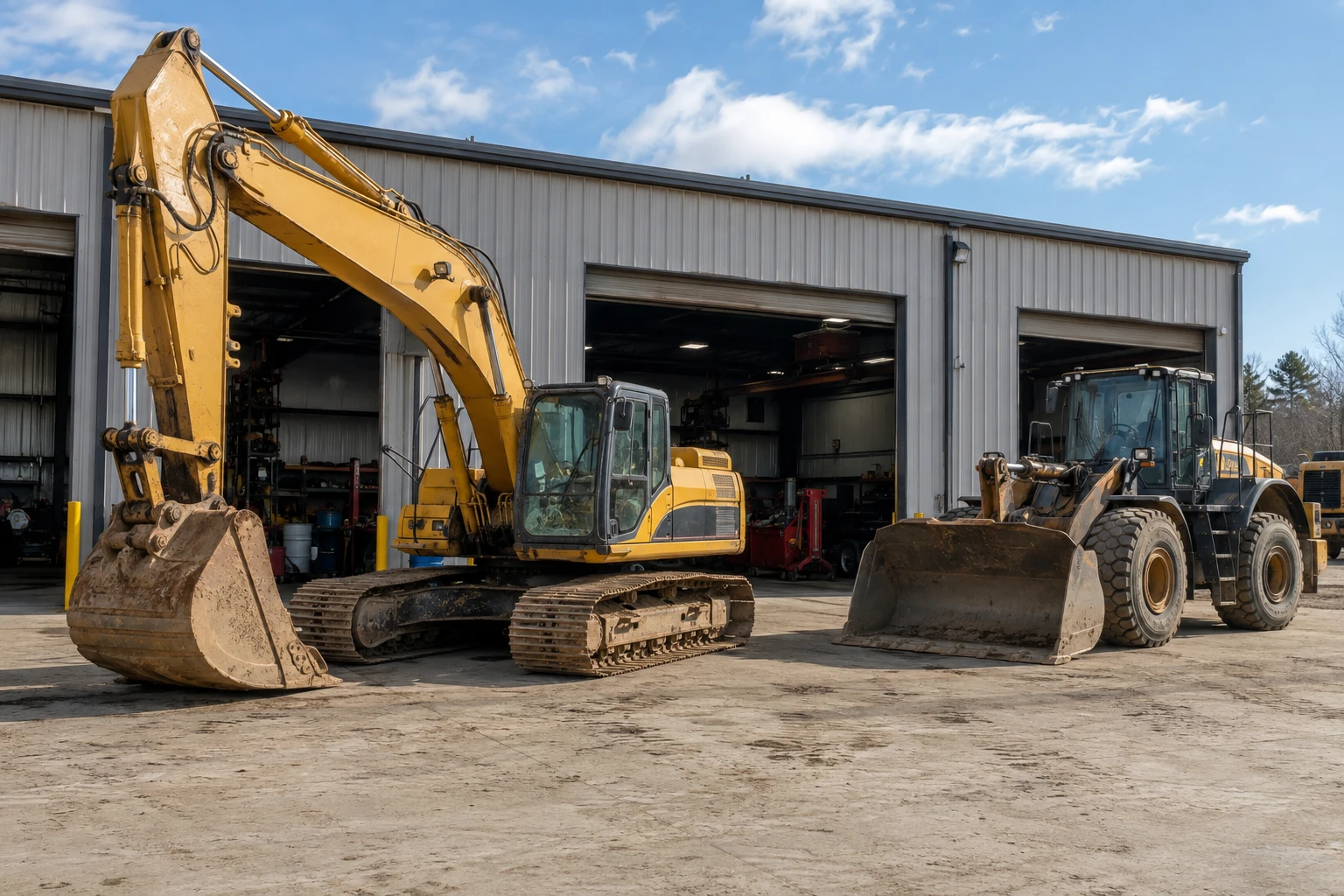
Heavy Equipment Repair Shop Software
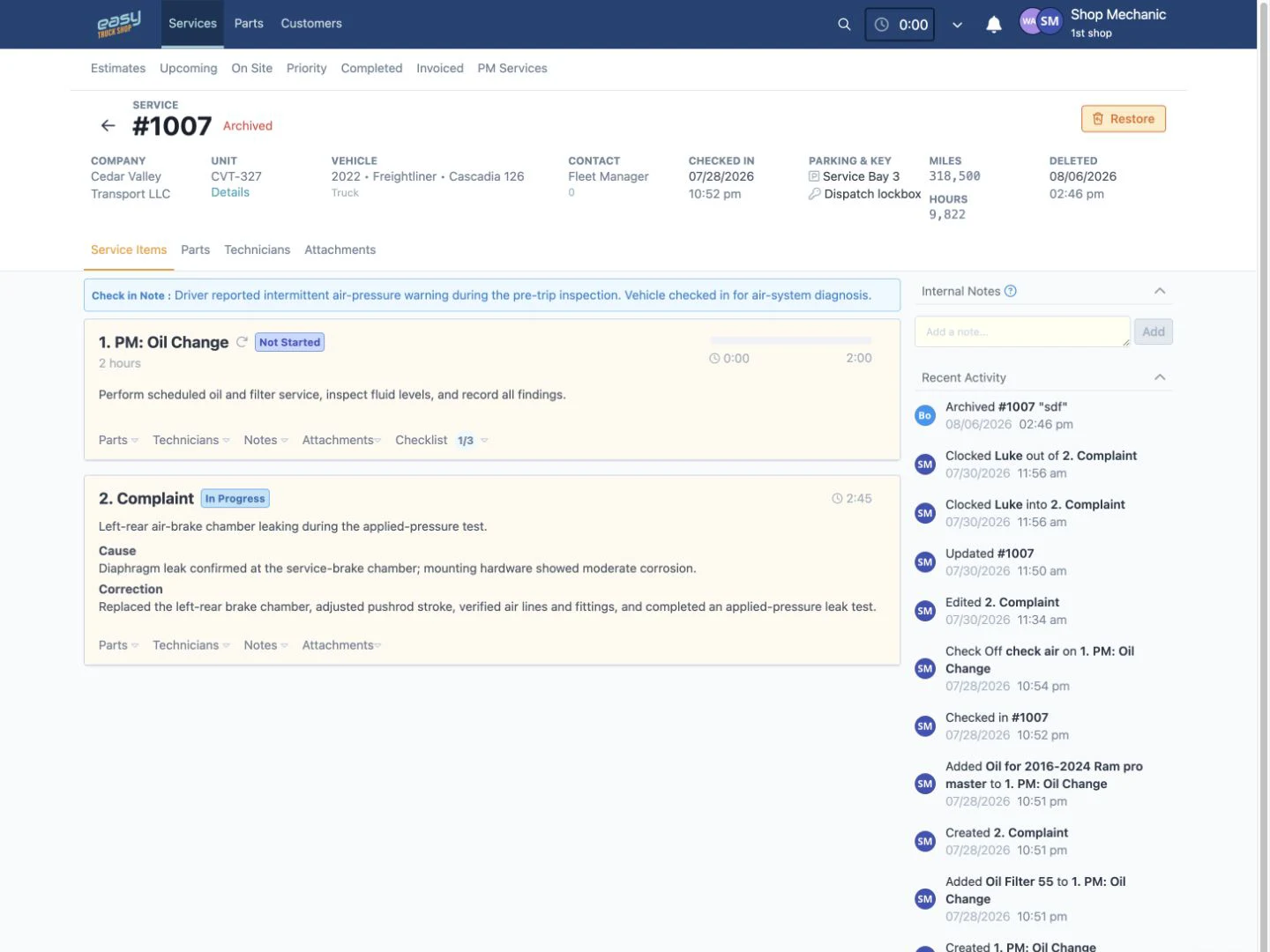
Give service advisors, managers, and technicians one place to manage customer equipment, repair work, technician assignments, parts, notes, attachments, and billing details.
Keep Equipment Records With the Work
Store unit numbers, VINs, odometer readings, engine hours, service history, preventive maintenance, invoices, attachments, and reported issues on connected equipment records.
Move Repairs Through Clear Service Stages
See which jobs are estimates, upcoming, on site, in priority, completed, or invoiced so the office and shop floor can work from the same status.
Document the Repair in One Place
Keep labor descriptions, technician notes, photos, attachments, checklists, parts, and added recommendations close to the repair order instead of scattered across paper, texts, and spreadsheets.
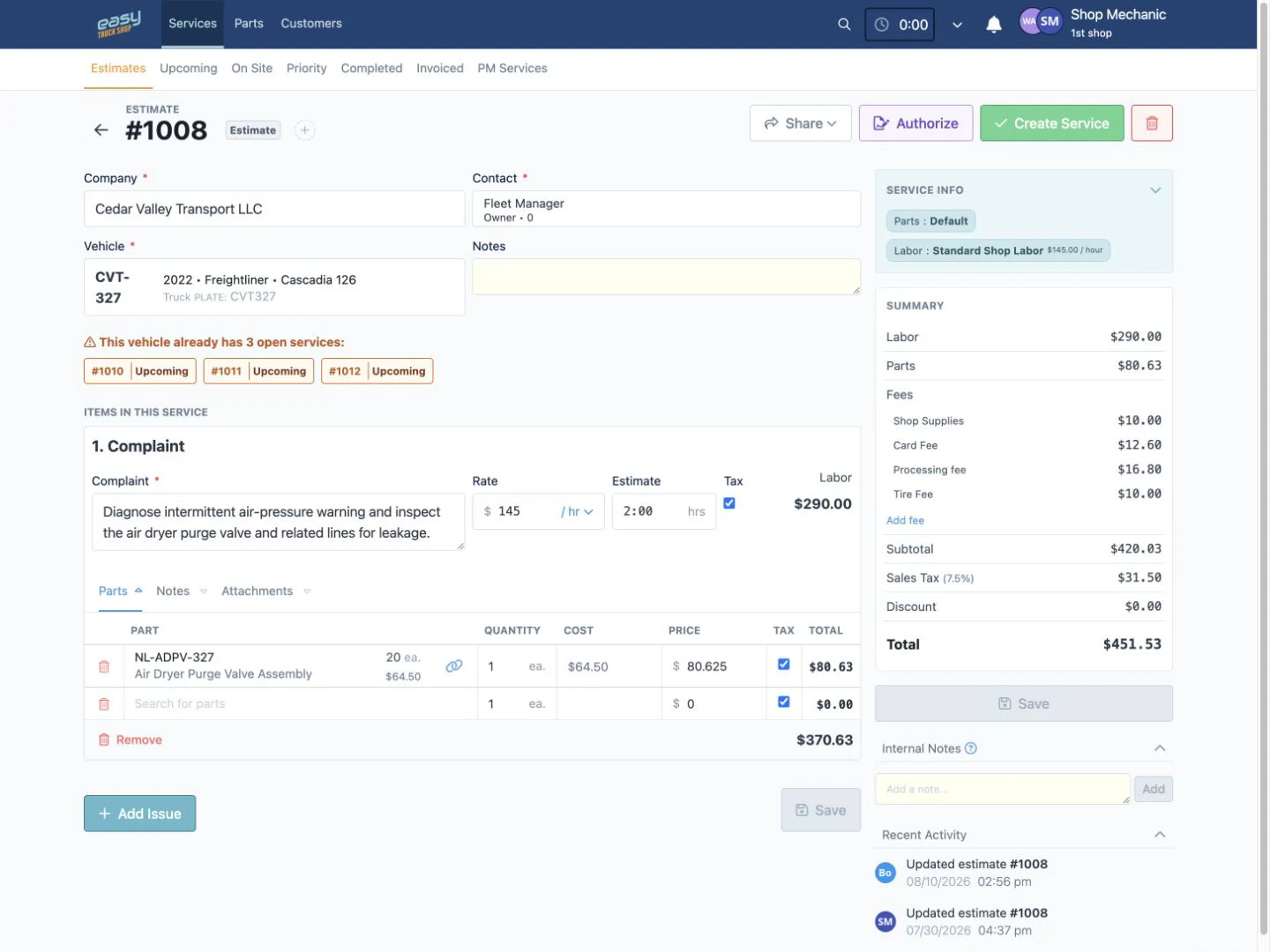
Heavy Equipment Repair Estimate Software
Prepare repair estimates with labor, parts, fees, discounts, taxes, and shop supplies, then keep authorization status connected to the proposed work.
Estimate Labor and Parts Together
Add diagnostic work, repair tasks, estimated time, parts, quantities, costs, and pricing to the same estimate instead of rebuilding the job in separate files.
Apply Consistent Shop Pricing
Use saved labor rates, price matrices, fees, discounts, and service templates to make estimates more consistent across customers and equipment types.
Send the Estimate for Review
Share an authorization link so the customer can review proposed services, pricing, notes, and attachments before the work moves forward.
Heavy Equipment Parts Inventory Software
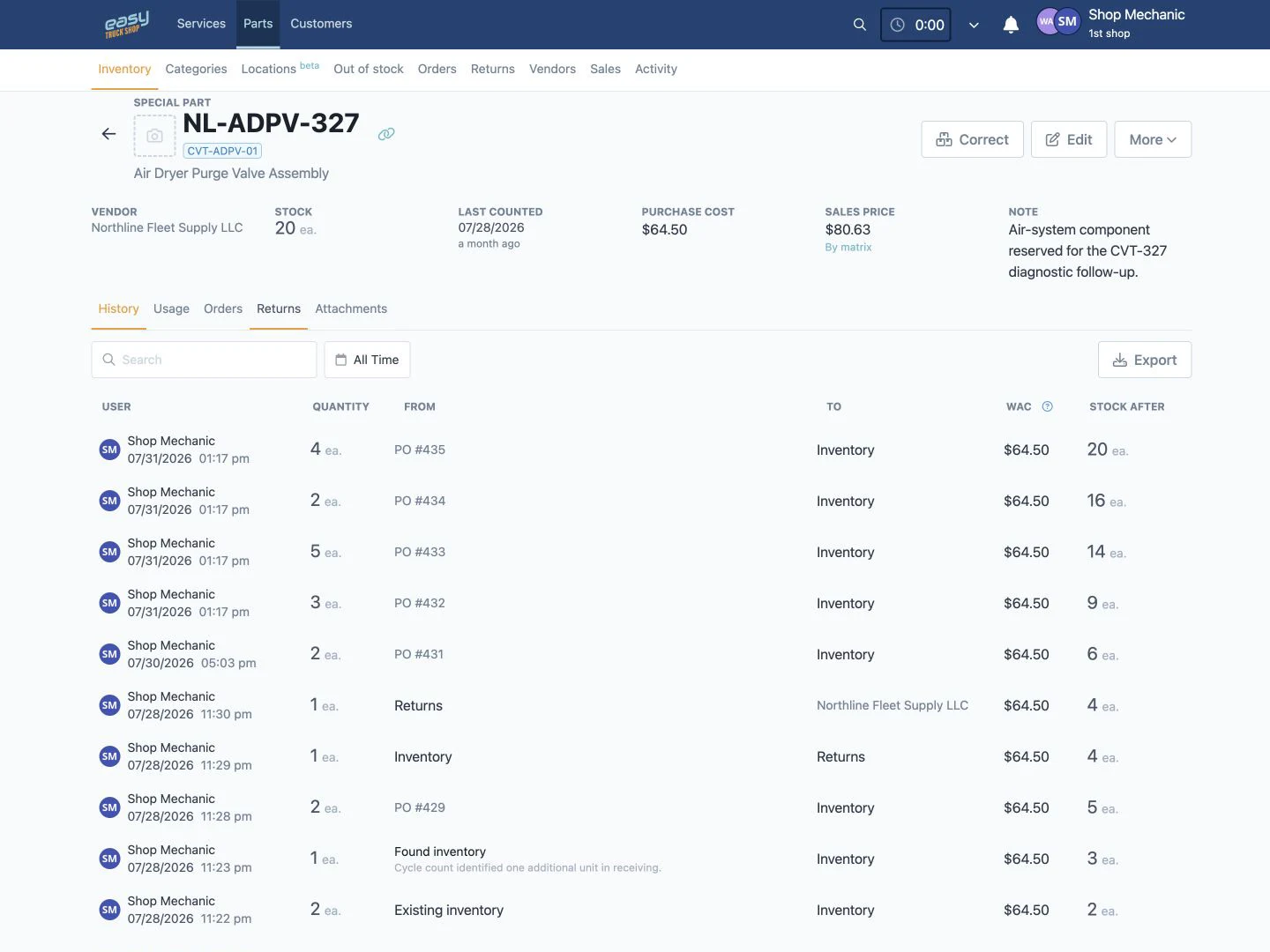
Track heavy-equipment parts, stock levels, locations, costs, pricing, purchase orders, receiving, and returns without maintaining a separate inventory spreadsheet.
See Stock and Replenishment Needs
Review quantities, locations, low-stock and out-of-stock controls, replacement numbers, cross-references, and replenishment requests before a missing part delays the repair.
Manage Vendor Purchase Orders
Create vendor purchase orders, track order status, receive parts into inventory, and retain the purchasing trail connected to the parts record.
Identify and Trace Parts
Use detailed part records, attachments, activity history, and QR-code workflows for the exact identification or inventory action supported in the reviewed screen.
Heavy Equipment Repair Invoicing Software
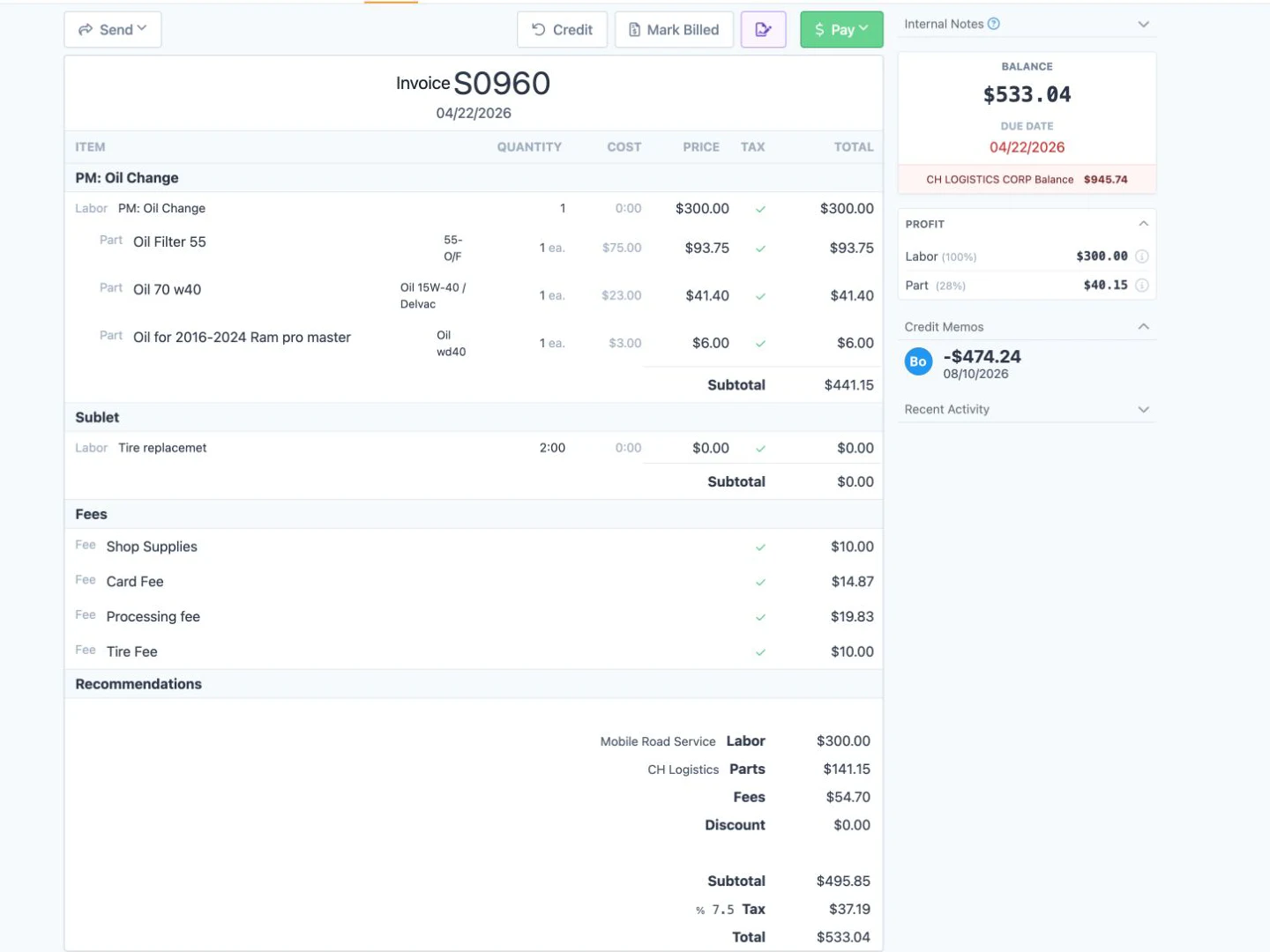
Prepare invoices from the repair record, keep labor and parts close to billing, and provide configured payment and accounting connections without rebuilding the job in another system.
Build Invoices From Repair Details
Keep approved services, labor, parts, fees, discounts, taxes, and shop supplies close to the invoice so the office can review the completed job before billing.
Send Online Payment Links
When Stripe is configured, send customers a secure payment link through the ETS payment workflow so they can review the invoice and pay online.
Connect Billing With QuickBooks
Use the available QuickBooks Online integration to keep billing closer to the accounting process and reduce duplicate entry. The integration setup determines which records are covered.
Heavy Equipment Repair Shop Reporting Software
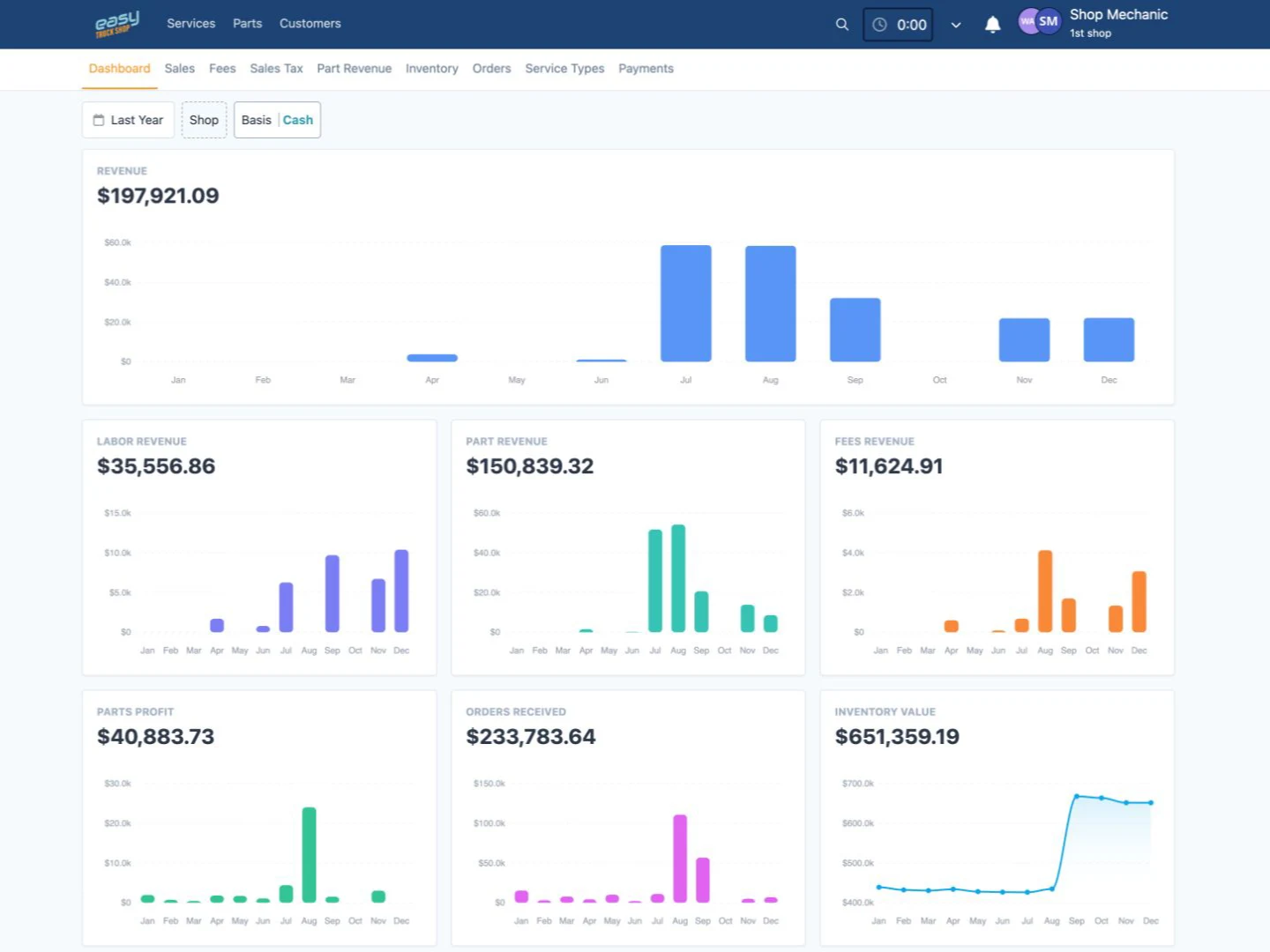
Use the available reporting views to investigate sales, service work, parts, inventory, purchasing, fees, taxes, and technician activity without rebuilding reports from disconnected spreadsheets.
Review Sales and Service Activity
Compare billed work, service types, labor, fees, taxes, and related operating details to understand what the shop processed during the selected period.
Monitor Parts and Purchasing
Review parts revenue, margins, inventory activity, stock value, vendor orders, and aged-inventory controls to investigate purchasing and inventory issues.
Track Technician Time and Productivity
Use timesheets, timelines, labor reports, and worked-versus-invoiced views to review technician activity and investigate gaps.
Heavy Equipment Maintenance Scheduling Software
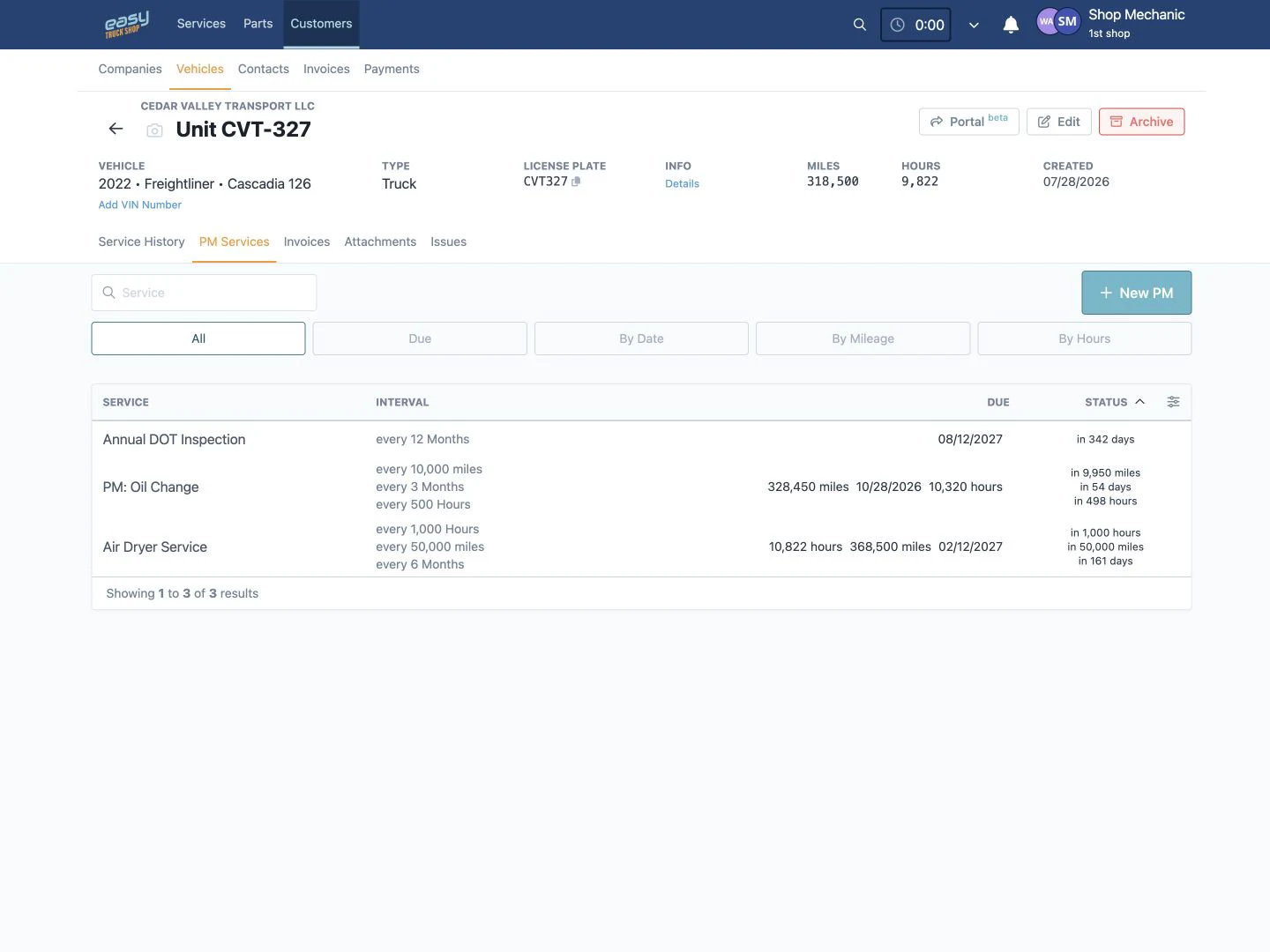
Keep preventive maintenance attached to the equipment record, see what is coming due, and move planned work into the same repair workflow used by the rest of the shop.
Set Maintenance Triggers That Fit the Equipment
Configure preventive maintenance by date, mileage, engine hours, or a combination of triggers so recurring work does not depend on a separate spreadsheet or someone’s memory.
Keep Service History With the Unit
Review past service, current issues, preventive maintenance, invoices, attachments, and readings from the connected equipment record when planning the next job.
Assign and Follow the Work
Use the verified service stages and drag-and-drop assignment controls to adjust technician responsibility as priorities change. Owners and managers can access reviewed core pages through a modern web browser on desktop, tablet, or mobile devices.
Customer testimonials
What our customers are saying
Dave Taylor
Pro Truck Shop, LLC
.svg.webp)
Amber Wagler
Schurter Trucking, LLC
