
RV Repair Shop Software
Keep each RV repair organized from the first customer concern to the final invoice. Manage work orders, estimates, parts, technician assignments, and service history in one browser-based system.
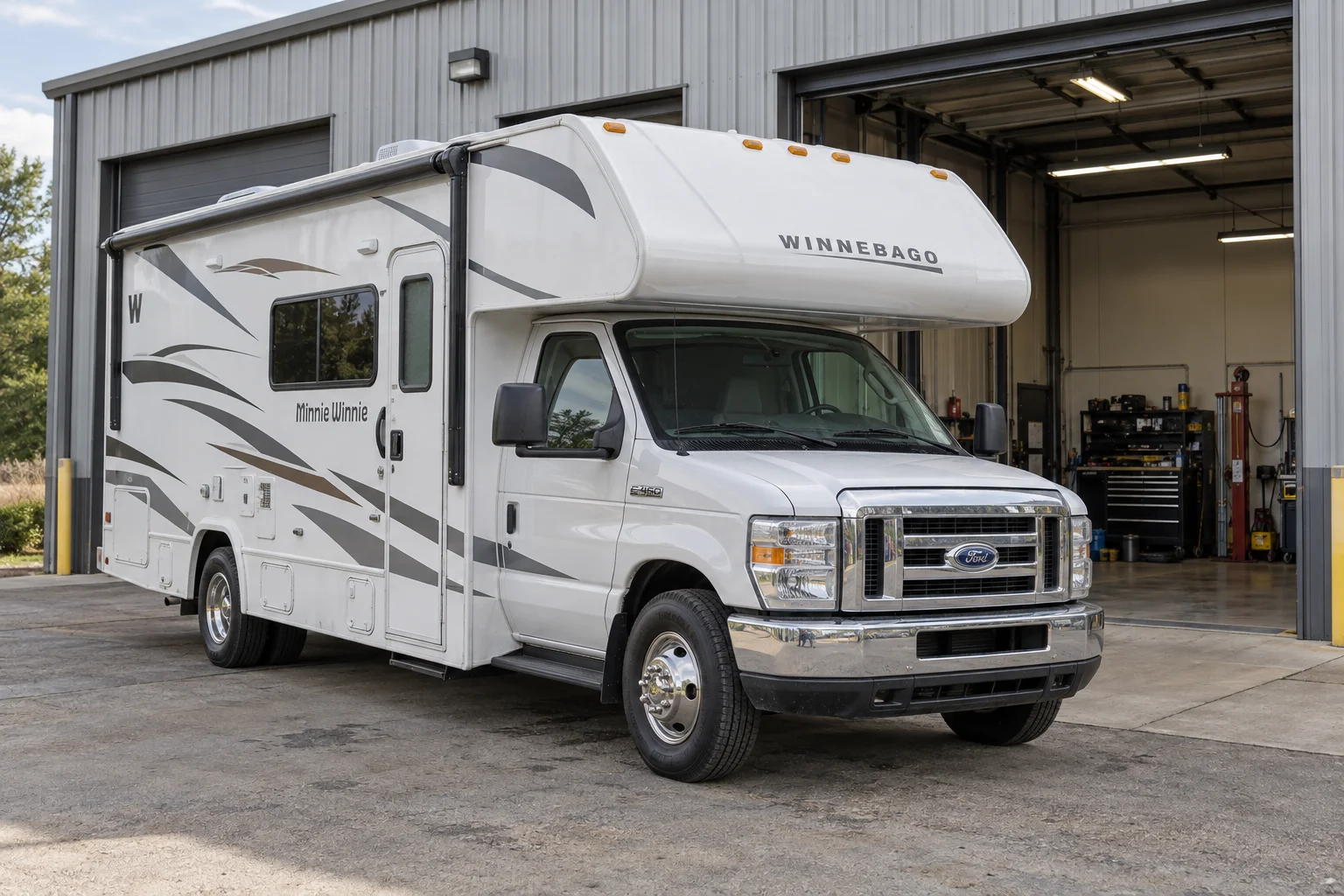
RV Work Order Software
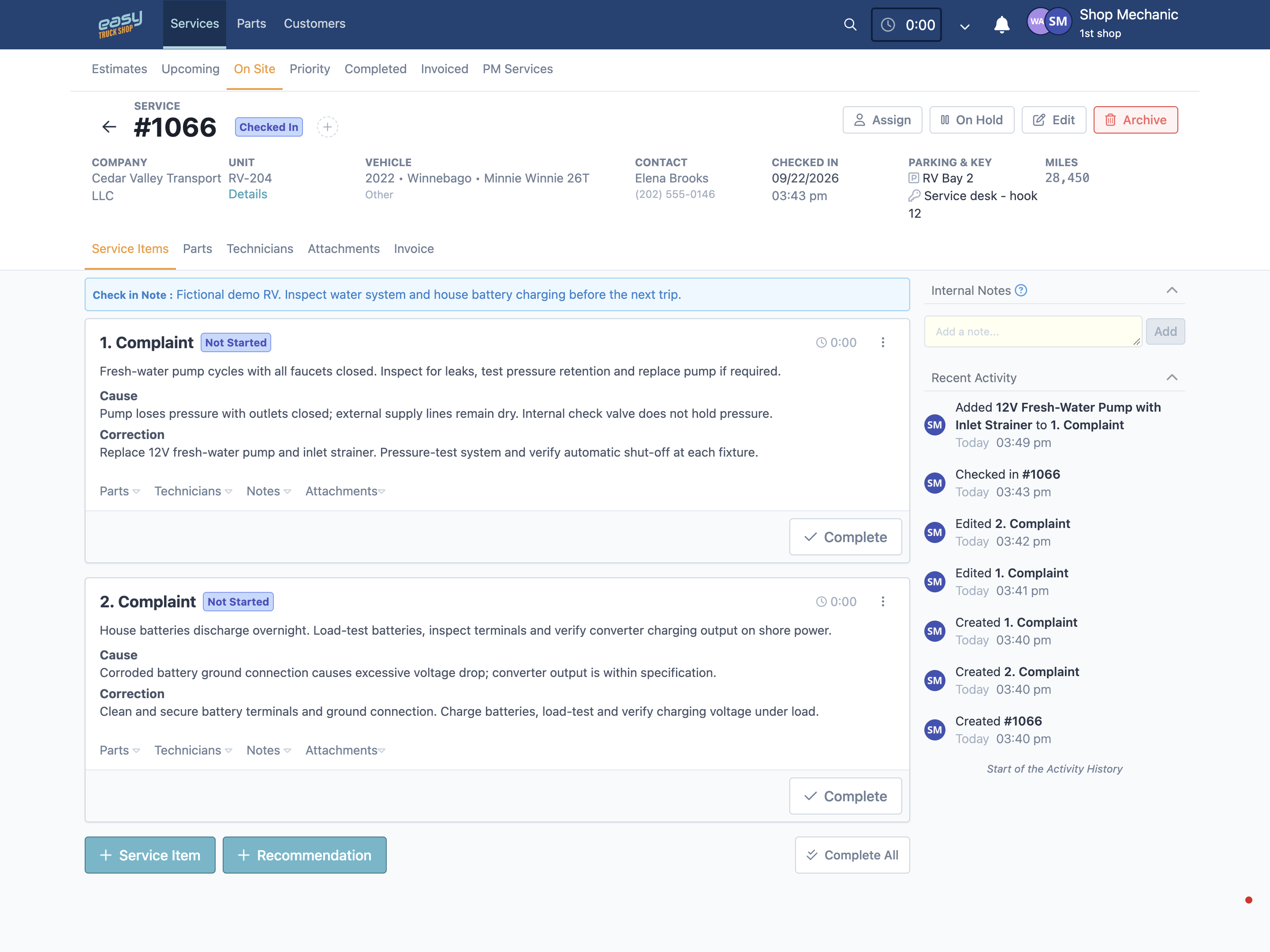
A single visit can involve several jobs. Keep the customer, RV, repair details, and technician assignments together so your team can see what needs attention.
Record each repair concern
Create separate service items for issues such as a water-pump fault or a battery-charging complaint. Keep the labor, parts, and notes connected to the relevant task.
Give technicians clear assignments
Assign service work and review its status as repairs move through the shop. Keep priorities visible when one RV needs attention from more than one technician.
Keep the repair evidence with the job
Attach photos, notes, and checklists to the service record so the next person can review what was found and what work has been documented.
RV Repair Estimate Software
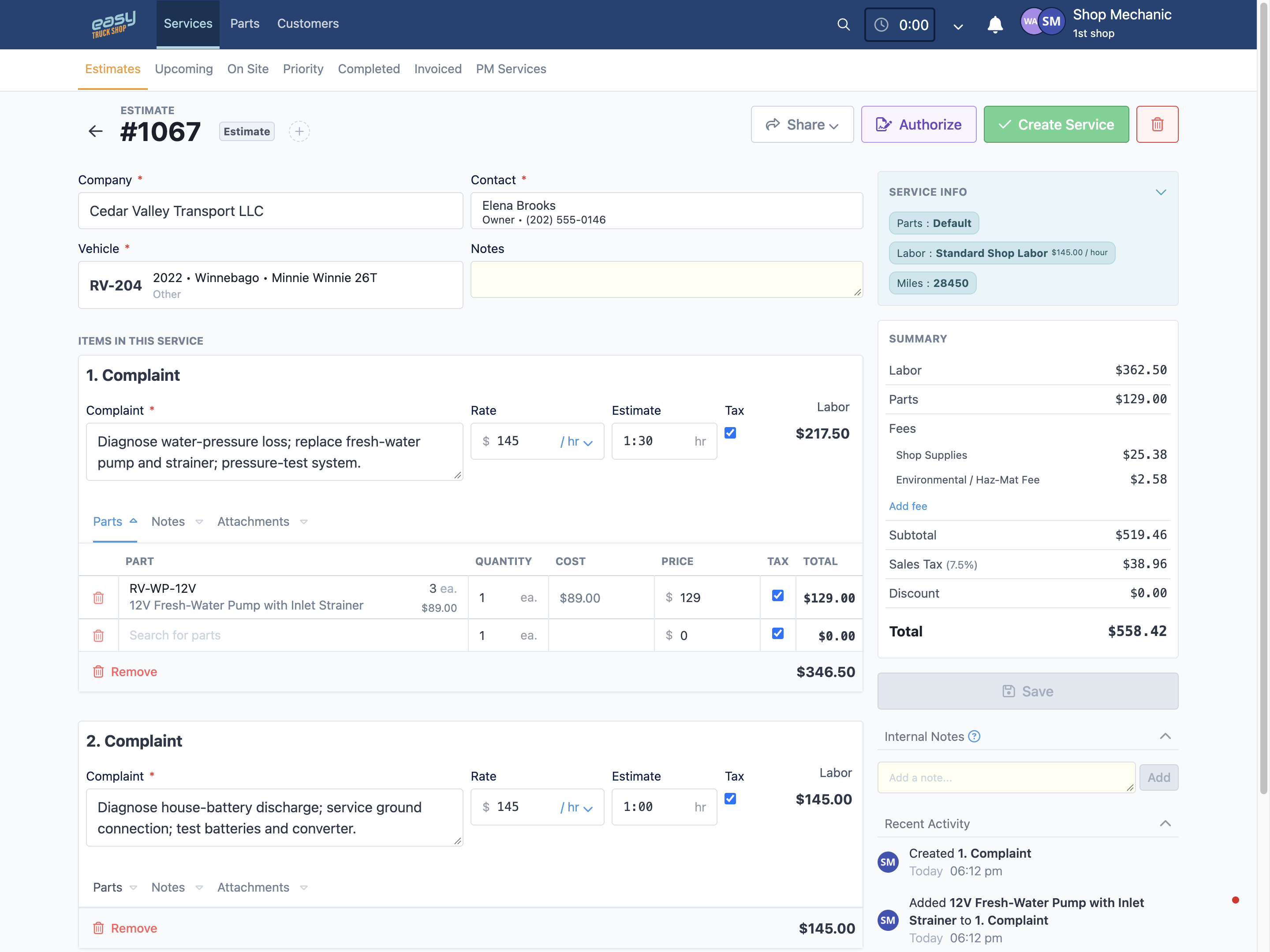
Build an itemized estimate before work begins, with the labor, parts, and charges associated with each repair concern.
Break down the work
List the service tasks, labor, and parts separately so the estimate explains what your shop plans to repair.
Apply your shop’s pricing
Use labor rates, parts pricing, fees, taxes, and discount controls to prepare the estimate for the customer.
Keep added work identifiable
Record additional repair recommendations with the service details. Update the estimate when the scope changes so the office has a clear basis for the customer discussion.
RV Parts Inventory Software
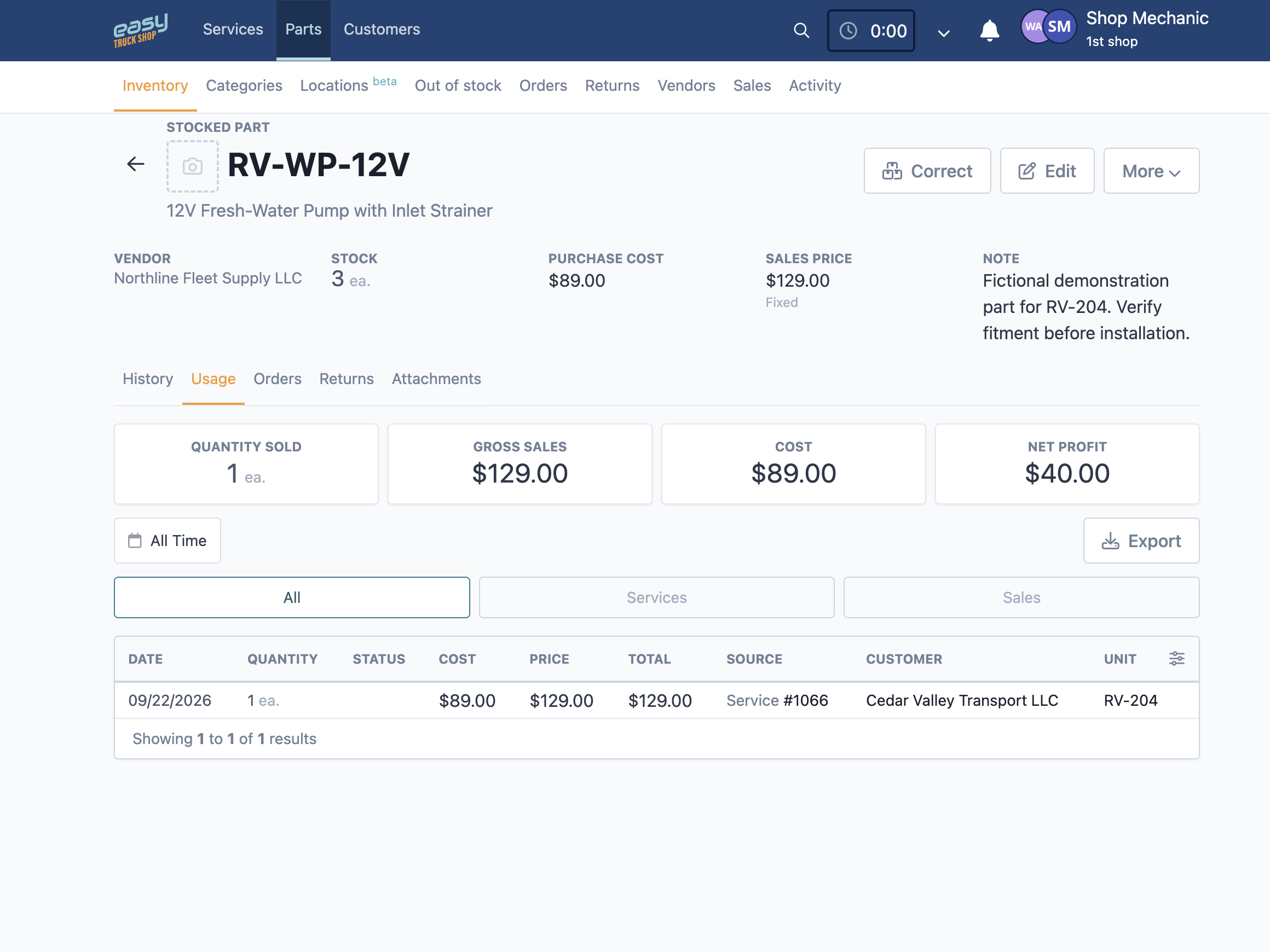
Track stocked components and purchase orders in the same system as your service work, from a replacement water pump to the smaller fittings needed to finish the job.
Find stock and storage details
Review part numbers, quantities, categories, and storage locations to see what is available before planning the repair.
Review replenishment needs
Use low-stock and out-of-stock views to review what needs attention and prepare purchase orders. Your team stays in control of what is ordered.
Track purchases and returns
Create vendor purchase orders, review their status, receive parts into inventory, and record vendor returns. Keep a traceable record of stock movement.
RV Repair Invoice Software
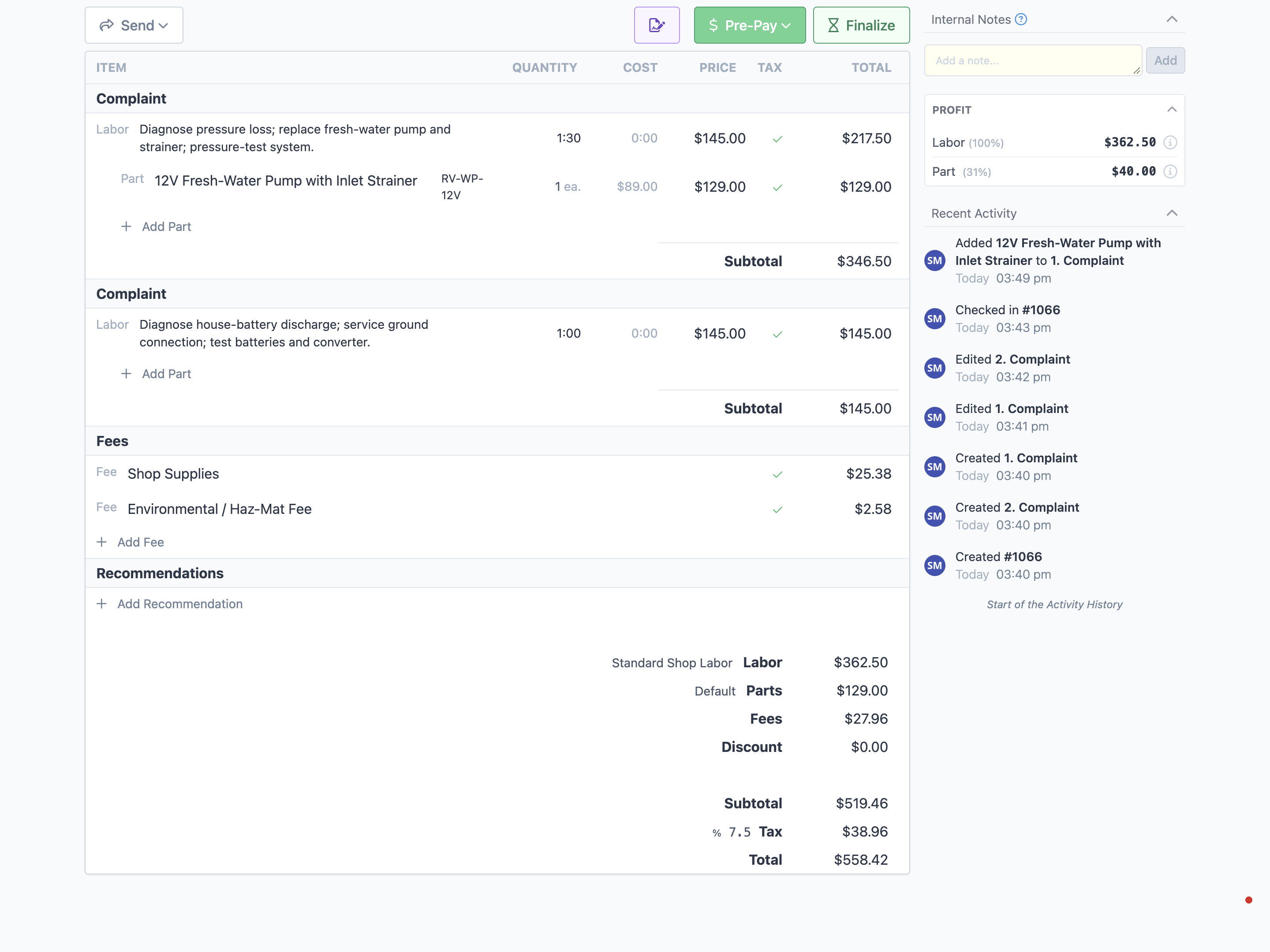
Review the recorded work and charges before billing, with the customer and RV details kept alongside the service record.
Review labor and parts charges
Check the labor, parts, fees, taxes, and total together so the invoice reflects the repair details recorded by your team.
Offer online payment links
Send a secure online payment link through the Stripe payment workflow when it is configured for your shop.
Connect accounting when configured
QuickBooks integration is available. Confirm the supported records and setup for your account when planning your bookkeeping workflow.
RV Shop Management Reporting
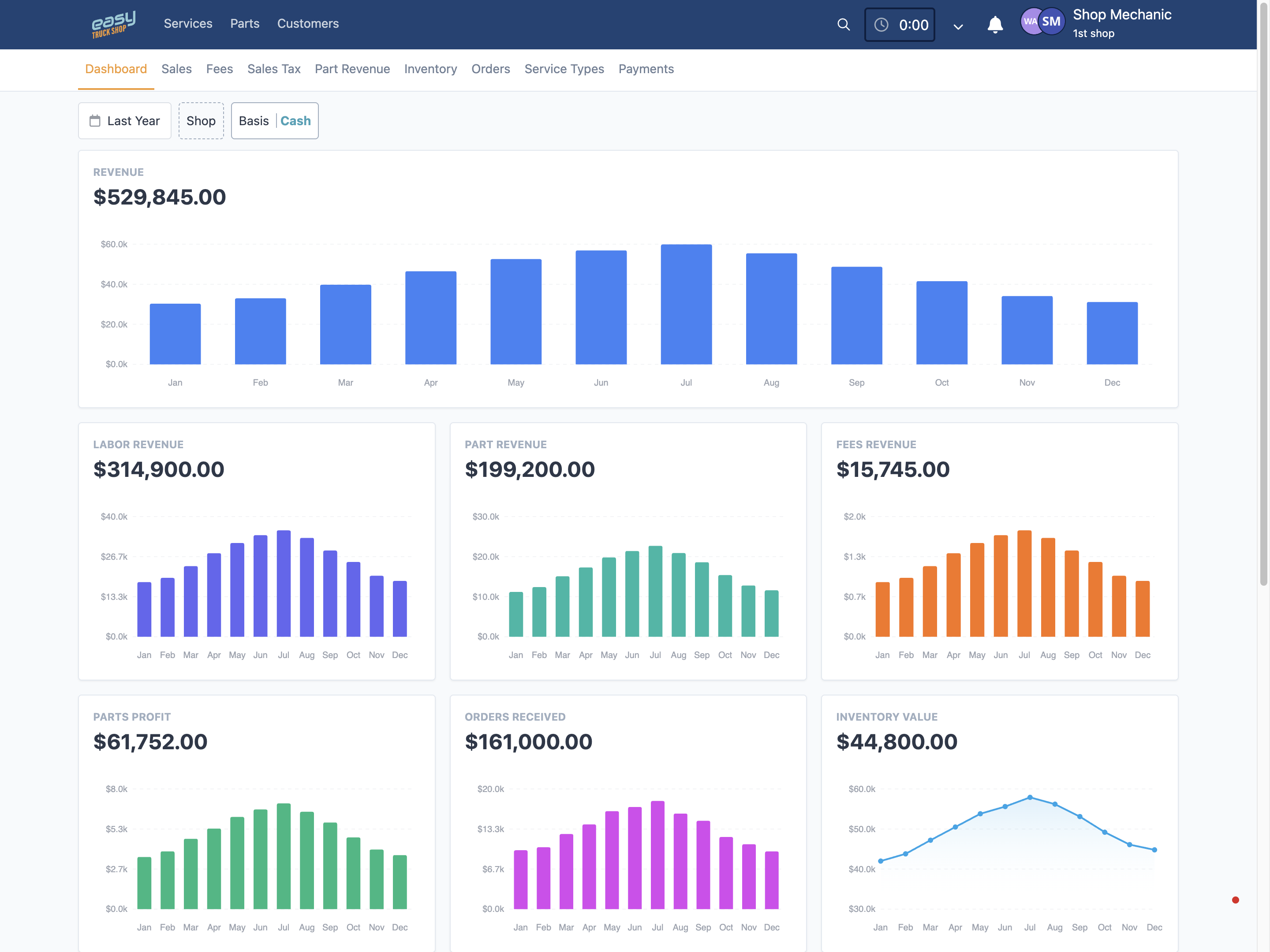
Review sales, parts, purchasing, and technician-time reports to understand the work behind your shop’s results.
Review sales and service activity
Explore billed work, service types, fees, and taxes to understand where recorded revenue is coming from.
Check parts and purchasing
Review parts revenue, margins, stock value, and vendor-order activity to investigate inventory and purchasing questions.
Compare worked and invoiced time
Use technician-time and labor reports to examine the relationship between recorded work and invoiced hours. Investigate differences before drawing conclusions.
RV Maintenance Scheduling Software
Keep previous repairs and maintenance records tied to the RV so your team can review the unit’s history when planning future service.
Keep a connected service history
Review previous service records, notes, parts, and invoices against the customer and vehicle before opening new work.
Set relevant maintenance intervals
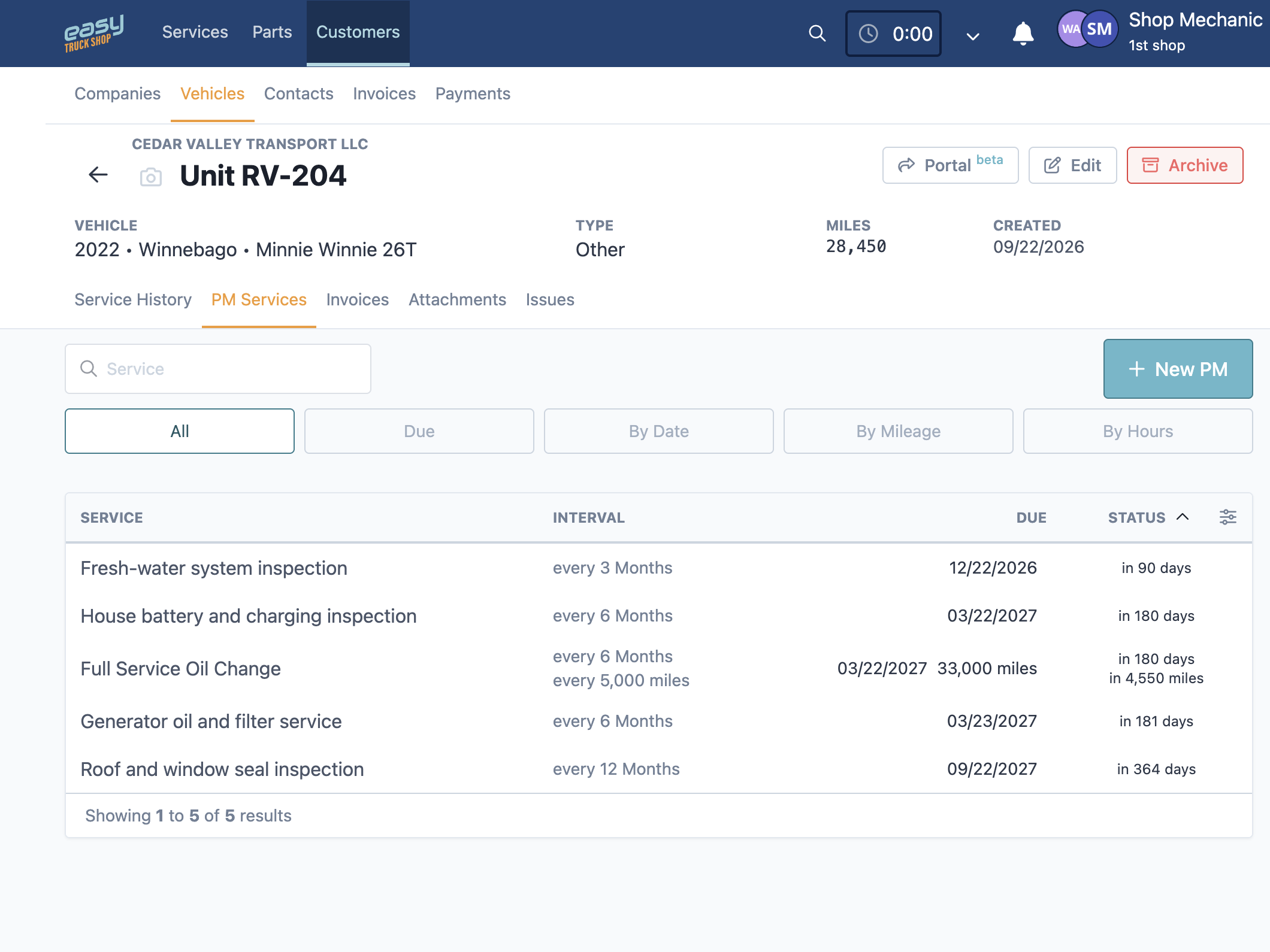
Create preventive-maintenance schedules based on date, mileage, or engine hours where applicable to the unit. Use the triggers that fit the service being planned.
Review upcoming service work
Use upcoming work and maintenance records to organize planned visits as demand changes through the season. Keep due maintenance separate from new repair concerns.
Customer testimonials
What our customers are saying
Dave Taylor
Pro Truck Shop, LLC
.svg.png)
Amber Wagler
Schurter Trucking, LLC
