Truck Maintenance Software That Keeps Every Fleet Vehicle Road-Ready
Fleet maintenance is less about one repair and more about keeping an entire roster of trucks road-ready. Easy Truck Shop helps fleet teams stay ahead of preventive maintenance schedules, track service history across every unit, and flag issues before they turn into a breakdown, cutting the downtime that costs fleets the most.
What Truck Maintenance Software Does
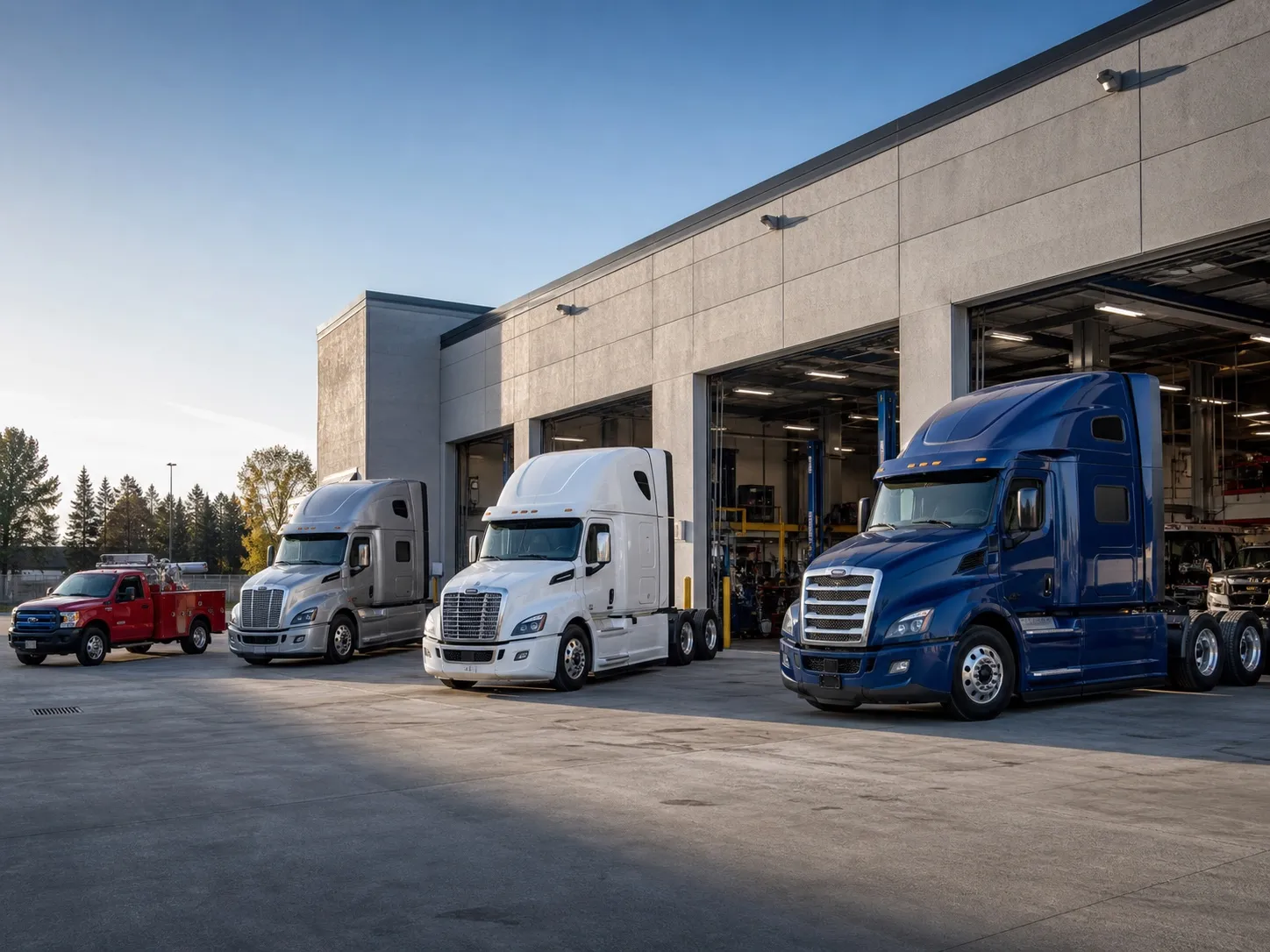
Truck fleet maintenance software gives you one place to manage every vehicle in your fleet. Instead of tracking service dates on spreadsheets or relying on drivers to flag problems, you get a running record of every unit's maintenance history, upcoming service needs, and repair costs. For companies running commercial trucks, that means fewer surprise breakdowns, less unplanned downtime, and a clear picture of which vehicles cost the most to keep on the road.
Easy Truck Shop's trucking maintenance software was built for heavy-duty and commercial truck fleets—not adapted from software made for passenger cars or general equipment. Whether you run a handful of semi-trucks or a large commercial fleet, it keeps preventive maintenance, service history, and parts tracking organized in one system your whole team can access.
Fleet Vehicle Management Software
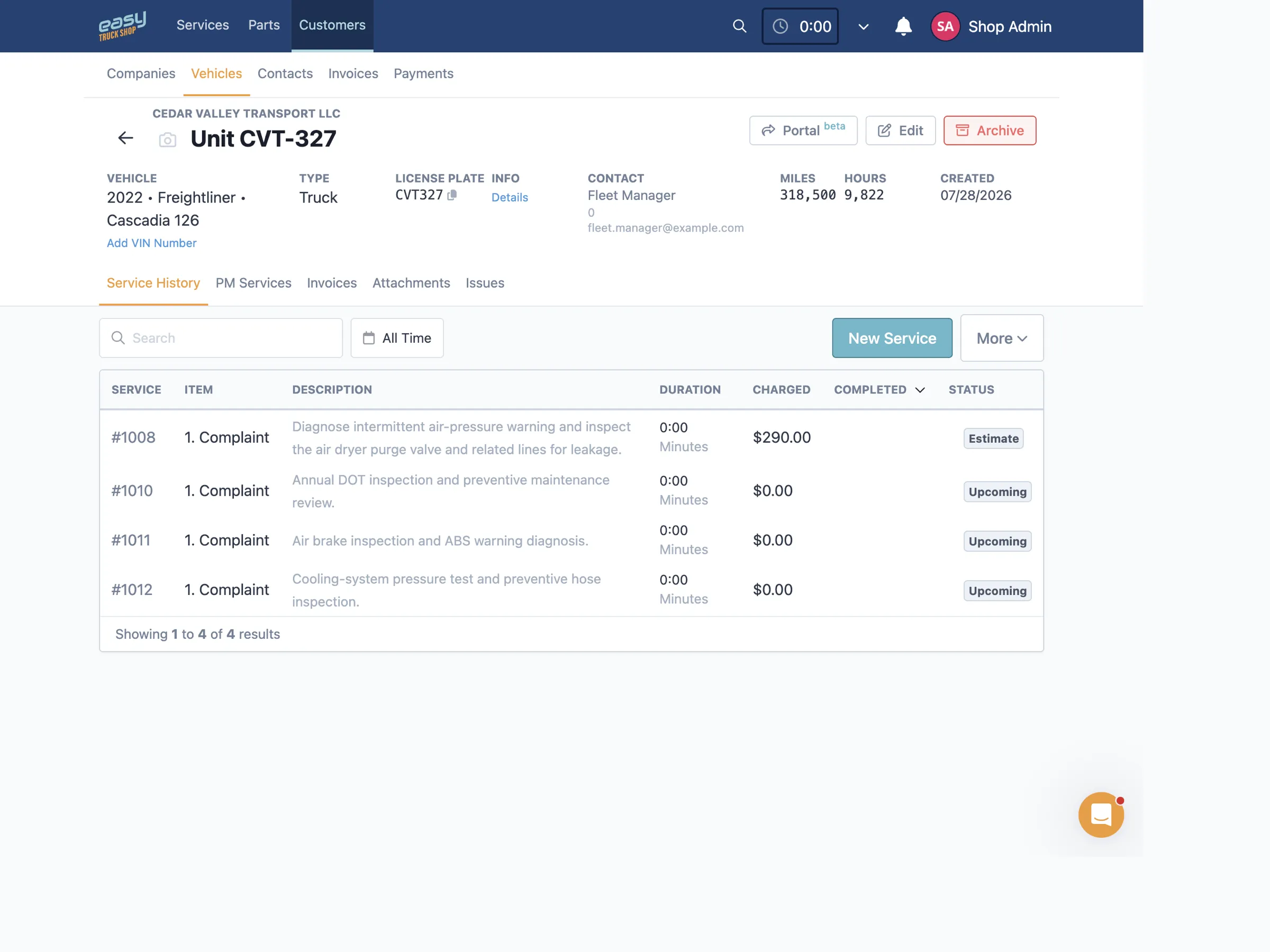
Give your team one place to manage fleet vehicles, readings, maintenance needs, service history, attachments, and repair records.
Identify Every Unit Clearly
Keep unit numbers, VINs, plates, make, model, year, odometer, and engine-hour readings on the vehicle record.
The VIN decoder fills in year, make and model from the VIN.
Review Service History by Vehicle
See past service work, invoices, attachments, issues, and preventive maintenance information for each unit.
Turn Reported Issues Into Service Work
Record vehicle issues and recommendations, then bring verified maintenance needs into a service order when work is scheduled.
Fleet Preventive Maintenance Software
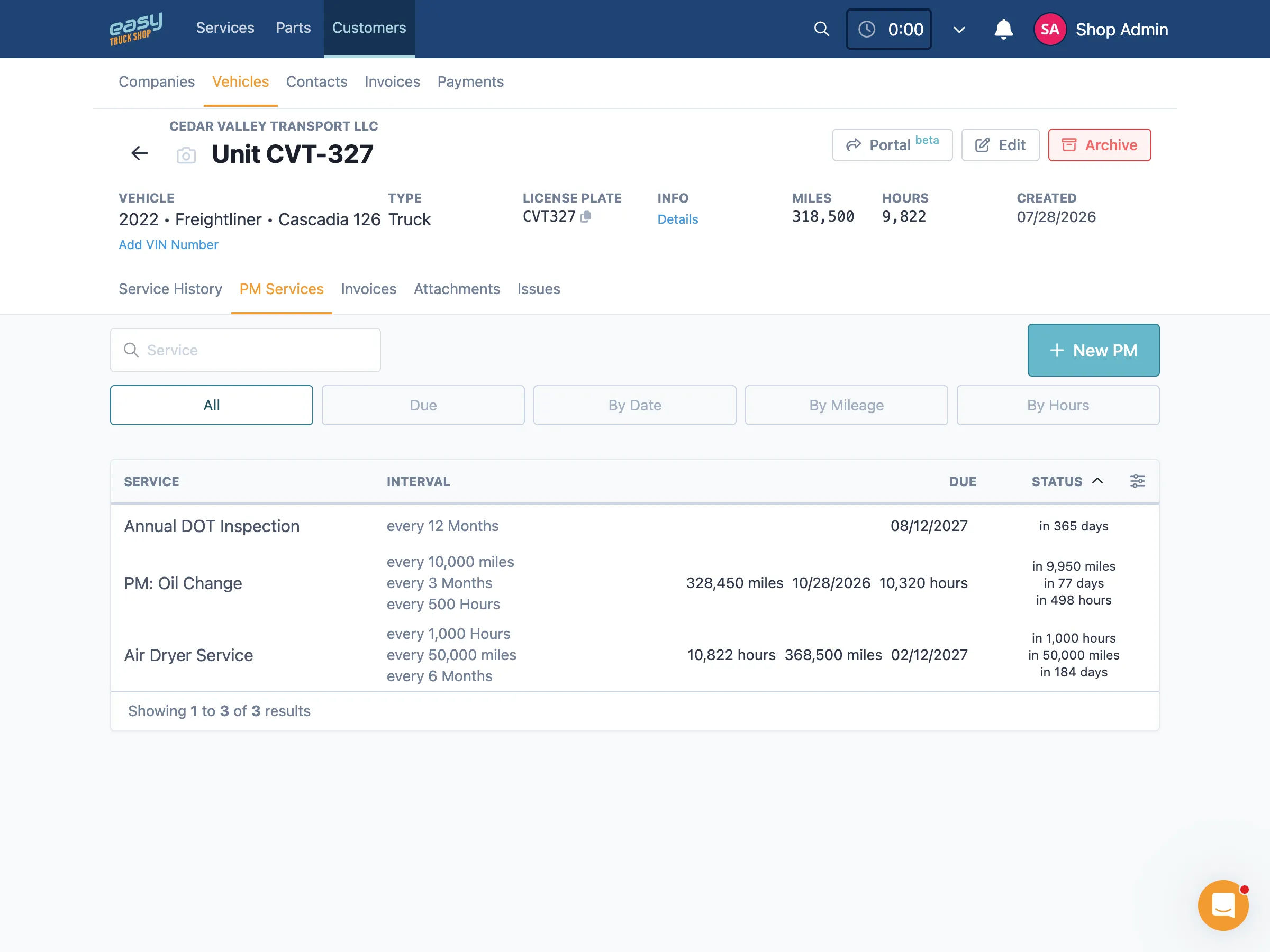
Create preventive maintenance schedules on the vehicle record and connect due work with the service workflow instead of tracking reminders in a separate spreadsheet.
Use the Triggers That Fit Each Unit
Set maintenance intervals by date, mileage, engine hours, or a combination of all three.
Add Lead Time and Expected Parts
Add warning settings and associate stocked parts with recurring maintenance when needed.
Connect Due Maintenance to Work Orders
Bring due preventive maintenance into upcoming or active service work so the schedule and completed history stay connected.
Fleet Work Order Management Software
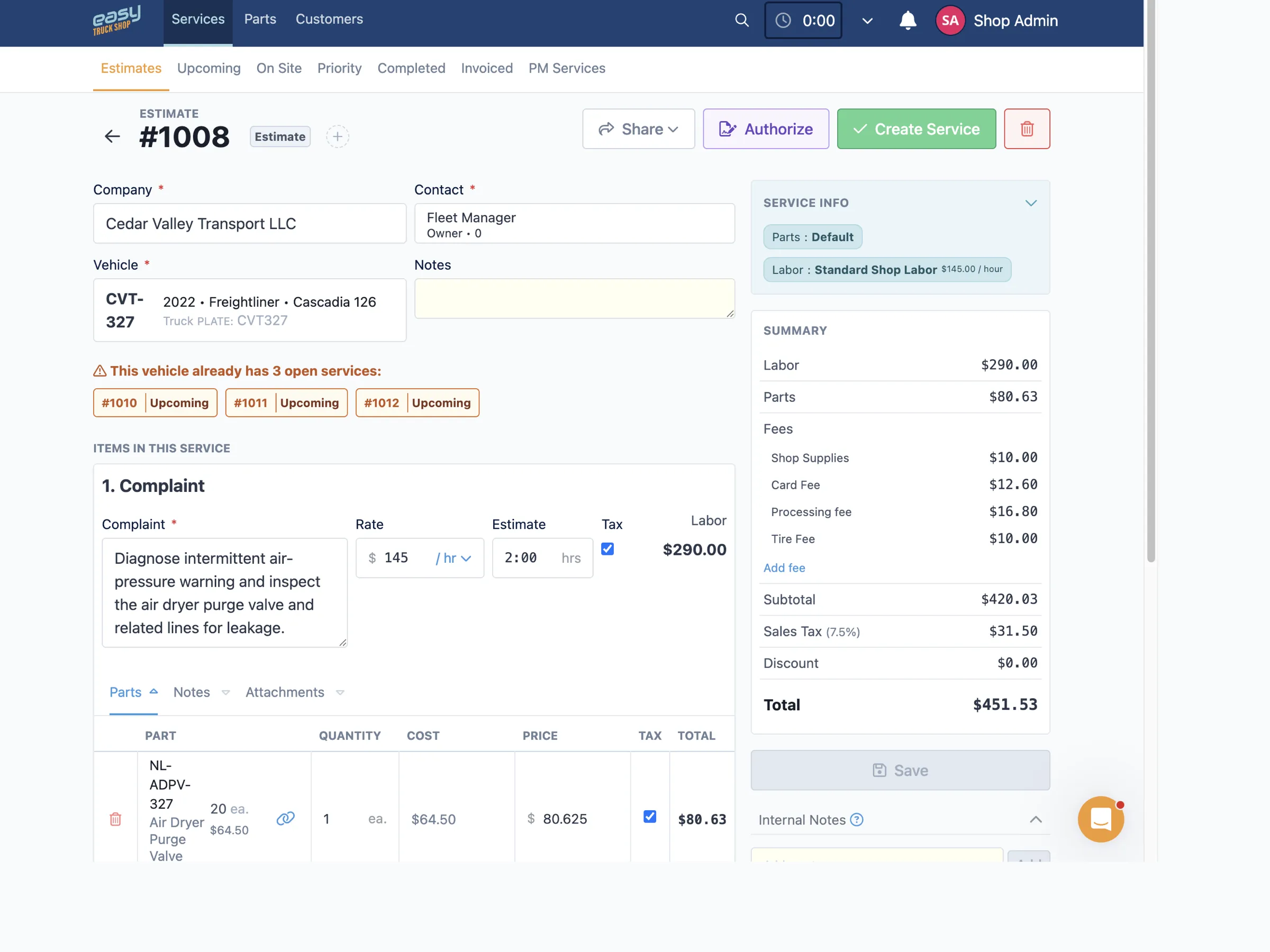
Organize upcoming and active maintenance work, assign technicians, and keep parts, notes, checklists, and progress close to each job.
See Work by Service Stage
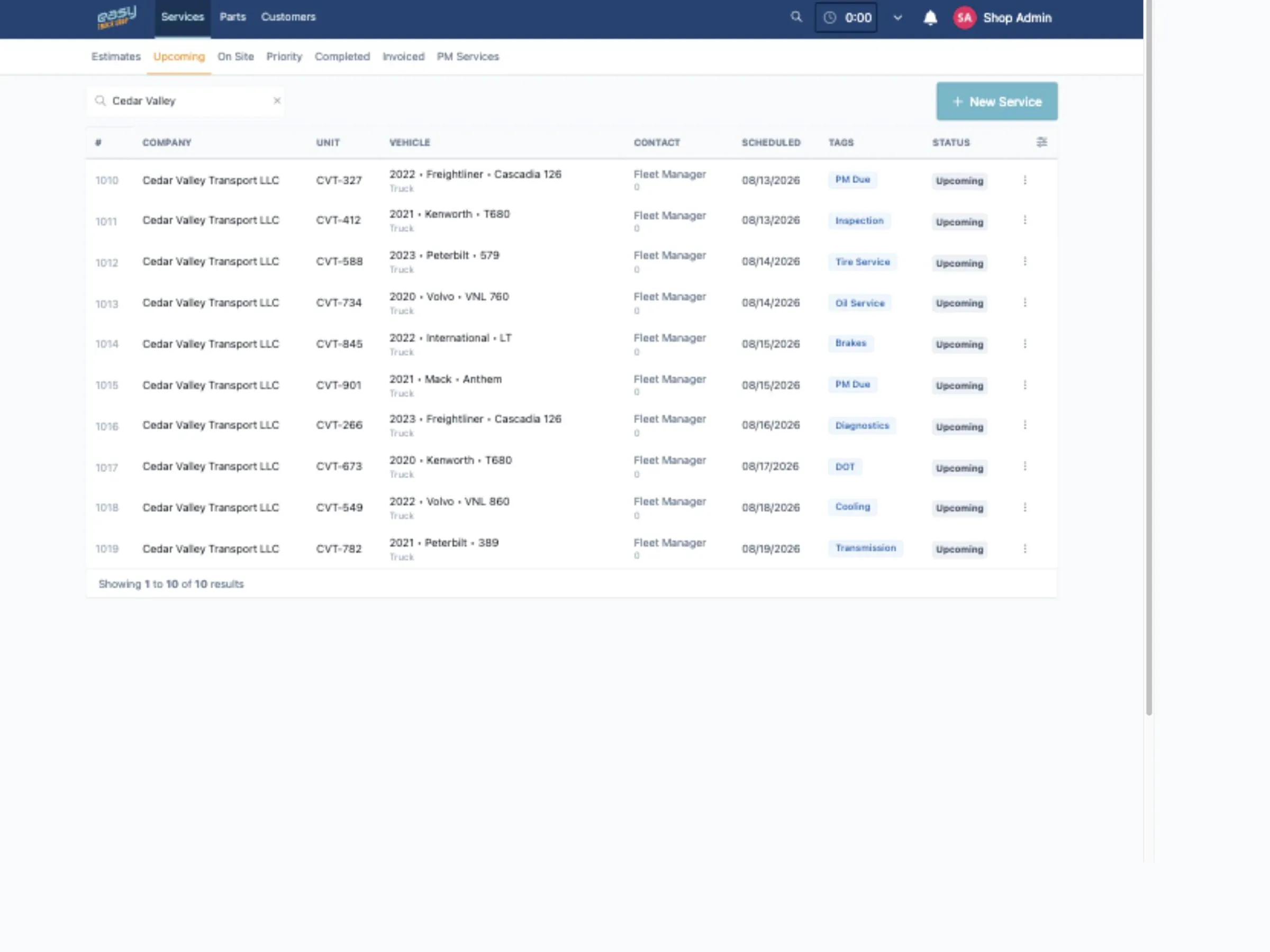
Review estimate, upcoming, on-site, priority, completed, and invoiced views to see which jobs need attention.
Assign and Reassign Technicians
Use assignment controls to place service tasks with technicians and adjust the workload as priorities change.
Keep Repair Details With the Job
Store service items, notes, parts, attachments, checklists, recommendations, and activity history in the work order.
Fleet Parts Inventory Software
Connect parts demand with purchasing and receiving
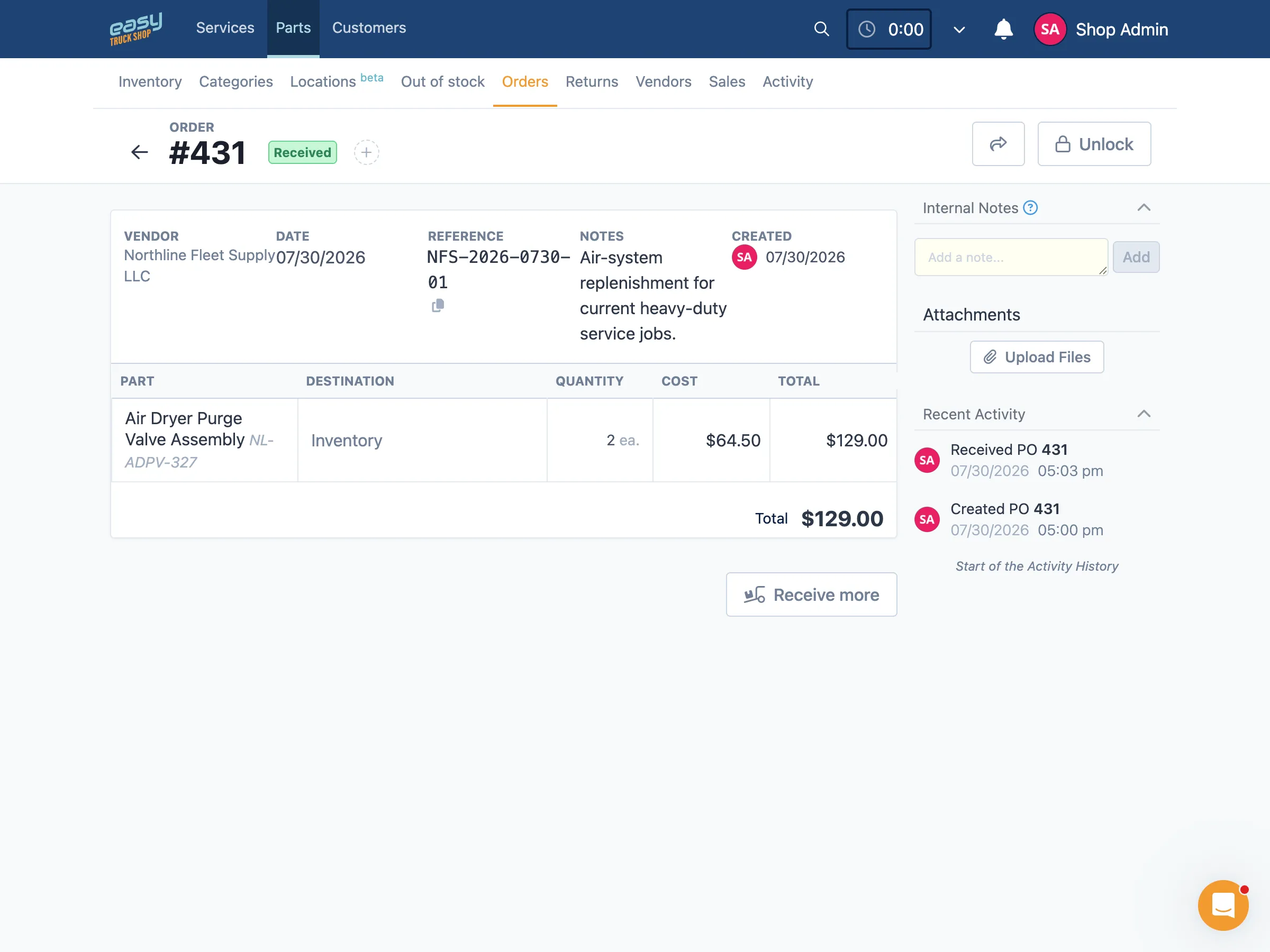
Track the parts used in maintenance work, collect replenishment needs, create vendor purchase orders, and record what enters or leaves inventory.
See Stock and Replenishment Needs
Review stock levels, part locations, and low-stock or out-of-stock requests before a shortage delays scheduled work.
Create and Track Vendor Purchase Orders
Select requested parts, build vendor purchase orders with quantities and costs, and track ordered and received stages.
Record Receipts and Returns
Receive parts into inventory, manage vendor returns, and review the resulting stock movement history.
Fleet Maintenance Reporting Software
Review service, labor, parts, and purchasing in context
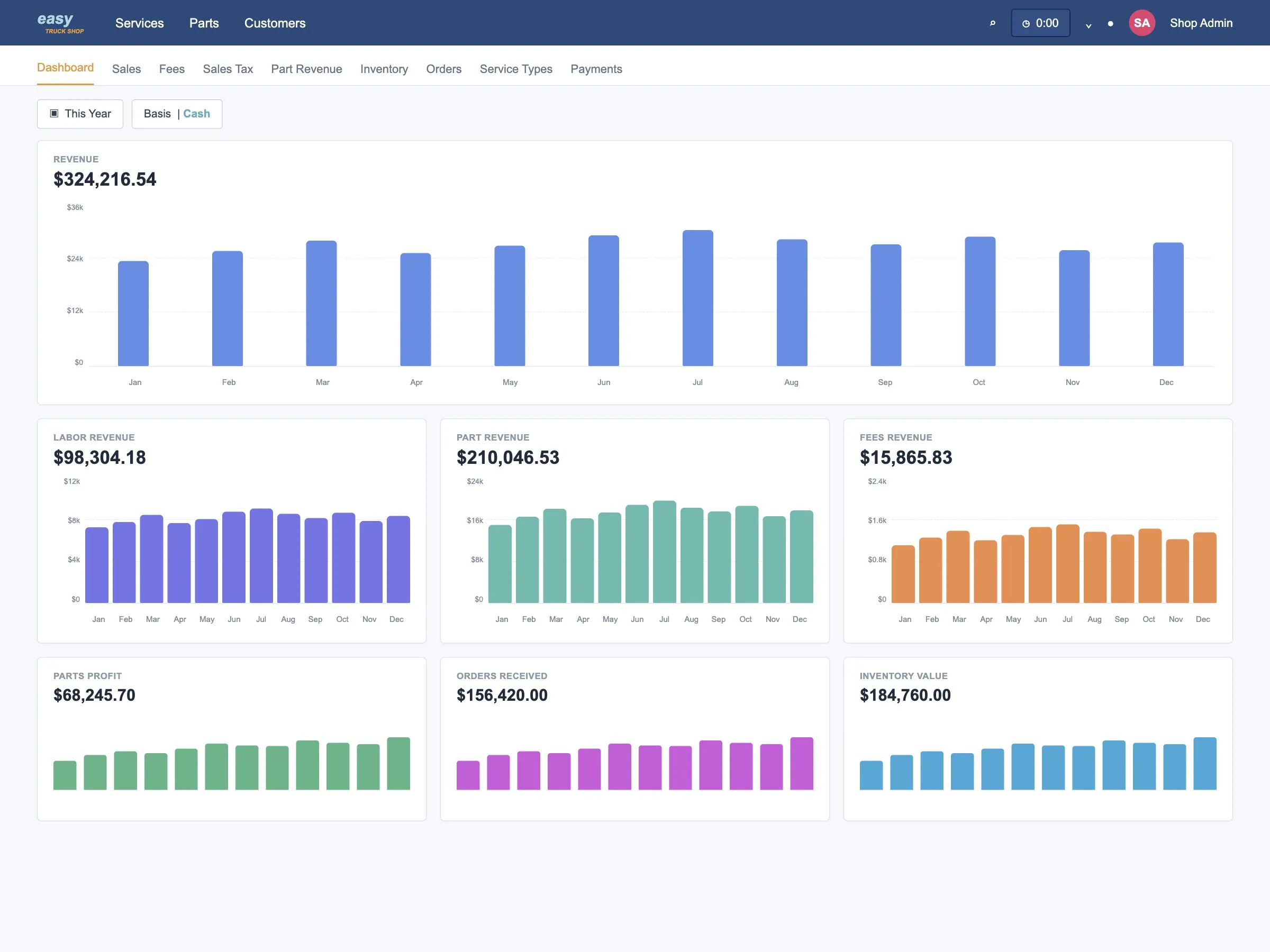
Use operational reports to investigate maintenance activity without rebuilding the same information from separate spreadsheets.
Review Service and Sales Activity
Review billed work, service types, fees, taxes, costs, and related operating details by period.
Monitor Parts and Purchasing
Review parts revenue, inventory changes, stock value, vendor orders, and aged inventory to investigate purchasing issues.
Track Technician Time and Productivity
Use timesheets, timelines, efficiency, and productivity views to review technician activity and investigate gaps.
Truck Fleet Maintenance Software
Keep maintenance information accessible across the operation
Access core fleet, vehicle, service, and reporting pages through a modern web browser while keeping records connected across the maintenance workflow.
Use ETS From a Modern Browser
Owners and managers can access reviewed core pages on desktop, tablet, and mobile devices. Available actions depend on the user’s role, permissions, and page.
Keep Records Connected Across the Workflow
Move from vehicle history and preventive maintenance to service work, parts, purchasing, and reporting without rebuilding the record in separate spreadsheets.
Connect Available Business Systems
QuickBooks Online and Samsara connection options are available. The records covered and data flow depend on the shop’s setup and enabled integration.
Truck Maintenance Software FAQ
Shop management software is built around running a repair shop—work orders, invoicing, technician scheduling. Fleet maintenance software is built around the vehicles you own or operate—service schedules, costs, and history across every unit, whether the work is done in-house or outsourced. Easy Truck Shop covers both, so fleet owners who also run their own repair operation don't need two separate systems.
It can't eliminate breakdowns, but it reduces them by making sure preventive maintenance happens on schedule instead of being missed or delayed. Much unplanned downtime traces back to a service interval that slipped.
Yes. Easy Truck Shop covers the same needs semi truck maintenance software addresses: service intervals, parts, and repair history for heavy-duty commercial vehicles, whether you call it fleet maintenance or commercial truck maintenance software.
No. Easy Truck Shop scales from a handful of trucks to a large commercial fleet. Catching maintenance needs before they become breakdowns pays off at any fleet size.
Customer testimonials
What our customers are saying
Dave Taylor
Pro Truck Shop, LLC
.svg.webp)
Amber Wagler
Schurter Trucking, LLC
